Cart
Cart
|
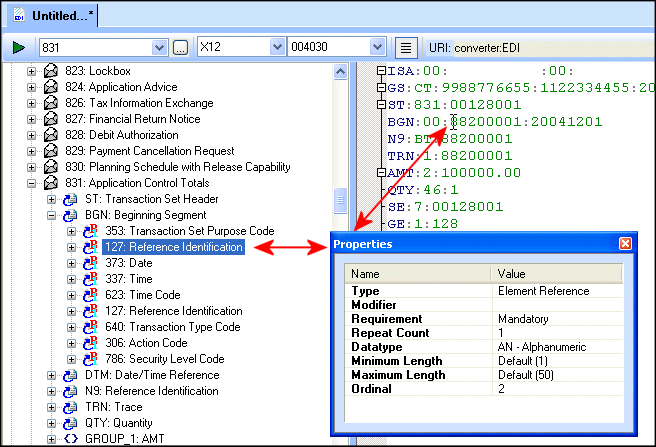
Home >Online Product Documentation >Table of Contents >Modifying Definition Properties Modifying Definition PropertiesThe Properties window, like the one shown in the following illustration, allows you to edit properties associated with the definition in the EDI Structure that currently has focus. A definition gains focus when you The Properties is a docking window. By default, it is docked to the Stylus Studio window, but you can drag it anywhere you like. When you modify a definition's properties, Stylus Studio imports a local copy of this definition from the EDI repository and places it in your EDI to XML conversion. Imported definitions are displayed in bold in the EDI Structure pane. See Ways to Customize an EDI Standard for more information on this topic. You can also modify an existing definition by adding new definitions to it. See Modifying Existing Definitions for more information. |

XML PRODUCTIVITY THROUGH INNOVATION ™