Cart
Cart
|
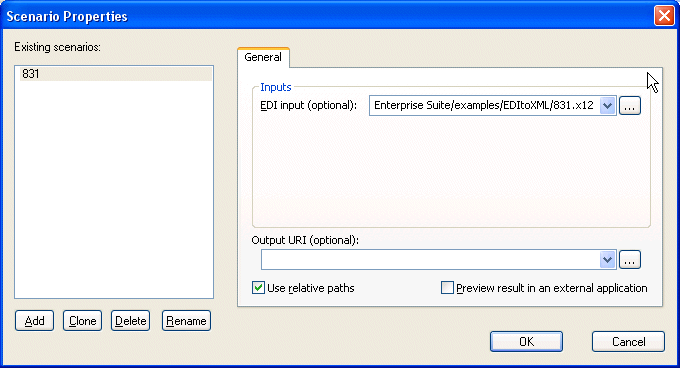
Home >Online Product Documentation >Table of Contents >Previewing an EDI to XML Conversion Previewing an EDI to XML ConversionThe EDI to XML module uses the Stylus Studio scenarios feature to help you preview the results of your EDI to XML conversion. A scenario is a collection of information - in the case of an EDI to XML conversion, an EDI input document and output URI - that you can save and reuse to test how different EDI customizations and XML Converter settings affect the conversion of an EDI document to XML. When you create an EDI to XML conversion using an EDI document, Stylus Studio automatically creates a scenario that specifies that EDI document as the EDI input for the EDI to XML conversion. You can change the EDI input document, or create another scenario using a different EDI document, on the Scenario Properties dialog box. To display the Scenario Properties dialog box:
Click the Edit scenario properties button ( Alternative: Select EDI > Scenario Properties from the Stylus Studio menu. Alternative: Select Create Scenario from the scenario drop-down list on the EDI to XML editor tool bar. |

XML PRODUCTIVITY THROUGH INNOVATION ™
 ) on the EDI to XML editor tool bar.