Cart
Cart
|
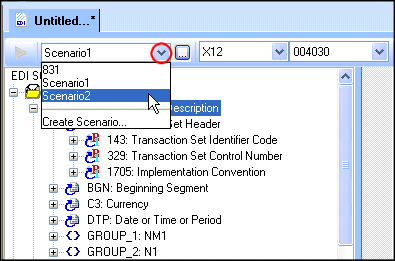
Home >Online Product Documentation >Table of Contents >Active Scenario Is Previewed Active Scenario Is PreviewedAs you create new scenarios, they are listed in the Existing Scenarios field. The scenario selected in this list is the active scenario - when you preview the EDI to XML conversion, the active scenario is the one that is being run. You can specify a different active scenario by selecting it in this list, but it can be more convenient to select it from the Create Scenario from the scenario drop-down list on the EDI to XML editor tool bar: When you choose a new active scenario, Stylus Studio uses the EDI input and output URI specified in the scenario when you preview the EDI to XML conversion. |

XML PRODUCTIVITY THROUGH INNOVATION ™