Building DataDirect XML Converters™ Applications with Stylus Studio

DataDirect XML Converters™ are high-speed Java and .NET components that enable processors including Apache Xalan, Saxon, you to directly access any data source (flat files, EDI, legacy data, etc.) directly from within your Java or .NET applications, thus simplifying data integration challenges. This free online video demonstration shows how easy it is to use DataDirect XML Converters™ and Stylus Studio® 2010 XML Enterprise Suite to create and deploy Java data integration applications in just minutes.

Deploying an XQuery-based EDI-to-XML Data Integration Application

Using DataDirect XML Converters™ Covers:


  • How to use Stylus Studio DataDirect XML Converters™ and the code generated by Stylus Studio's Java Code Generator to deploy your application
  • Using DataDirect XML Converters™'s to stream EDI data into XML for subsequent processing by an XQuery expression
  • Opening an EDI data file in Stylus Studio using a built-in EDI to XML converter
  • Loading the EDI data file in Stylus Studio's XQuery Mapper
  • Loading the desired target XML Schema for which we would like the converted EDI data to conform to
  • Inspecting and Editing the XQuery code generated by visually mapping the EDI source data to an XML data structure using Stylus Studio's XQuery Mapper
  • Testing and previewing the results of an XQuery-based EDI to XML mapping
  • Specifying XQuery processing settings including using the Saxon XQuery processor and using the built-in URI resolver to resolve Stylus Studio Adapter URL's.
  • Generating the Java code to run an XQuery expression; customizing the appearance of the generated Java code, compiling and running the Java application using the integrated Stylus Studio Java IDE
  • Browsing the Java application code which un-locks and uses the DataDirect XML Converters™
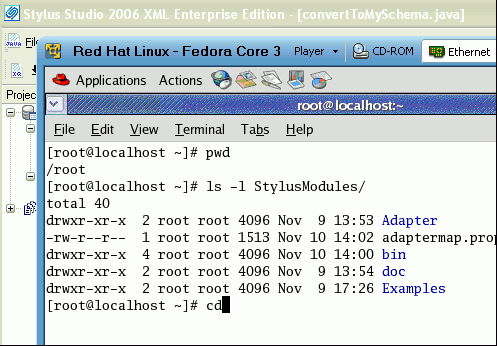
  • Setting the Java classpath and deploying the Java application code to a Linux environment
  • Running the XQuery application on the Linux deployment environment

Building Web Services With Stylus Studio

This video demonstration shows you how to use Stylus Studio's Web Service call composer to locate a WSDL file on the Internet, inspect, create SOAP envelope, invoke and inspect Web service data.

XML Editing Views

Stylus Studio includes three synchronized XML editing views: Text View, Tree View, and Grid View, allowing you to work with and edit XML documents in whatever way suits you best.

Television

Television

Introduction to Convert to XML

Convert to XML is Stylus Studio's all-purpose utility for getting legacy data integration of all sorts into a custom XML format. This video provides an overview of the tool and walks you through a sample CSV to XML data transformation project.

Stylus Most Wanted

PURCHASE STYLUS STUDIO ONLINE TODAY!!

Purchasing Stylus Studio from our online shop is Easy, Secure and Value Priced!

Buy Stylus Studio Now

Try DataDirect XML Converters™

Download a free trial or our award-winning data conversion components and start simplifying XML data integration today!

What's New for 2008?

New XQuery & Web Services Tools, Support for MySQL, PostgreSQL, HL7 EDI, Microsoft .NET Code Generation and much more!

Why Pay More for XML Tools?

With Stylus Studio® 2008 XML Enterprise Suite, you get the most comprehensive XML tool suite at one incredibly low price. Value: it's just one of many reasons why smart XML developers are choosing Stylus Studio!

XML Data Sheets

Stylus Studio® 6 XML Integrated Development Environment pdf >

 
Free Stylus Studio XML Training:
W3C Member