Home >
Online Product Documentation >
Table of Contents >
Choosing an Input File
Choosing an Input File
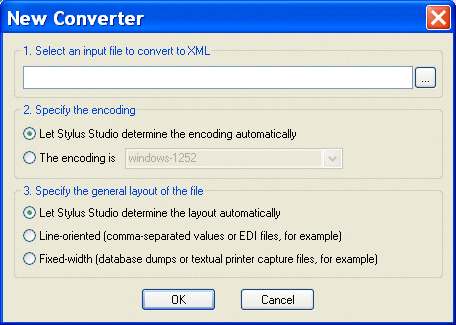
The first step of creating a converter is to select an input file.
|
|
Figure 149. Specify Input File Type Manually or Let Stylus Studio Decide
The input file can be any type. If you are planning to use the converter to convert other non-XML files of this type, the input file should be representative of that broader class of files - files with the same extension (
.txt or
.edi, for example), encoding, numbers and types of regions, and so on. You can always fine-tune the converter to accommodate characteristics that are not embodied in the input file, but as a general rule, use a file that is as close to others of its type as possible.
|
Note
|
|
File systems that return only XML files, such as Sleepycat Software's Berkeley DB XML, do not appear when you browse for input files using the
Open dialog box(
 ).
).
|
 Cart
Cart