Cart
Cart|
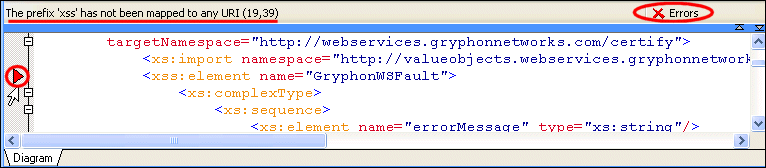
Home > Online Product Documentation > Table of Contents > Error Detection Error DetectionStylus Studio flags any WSDL or XML Schema errors in the text pane - lines that contain errors are identified with a red triangle, and the type and location of the error is displayed in the status area at the top of the text pane, as shown here:
When you click the error message, Stylus Studio jumps to that part of the WSDL document containing the error. When you correct one error, information about the next error detected by Stylus Studio (if any) is displayed in the status area. |

XML PRODUCTIVITY THROUGH INNOVATION ™