Cart
Cart
|
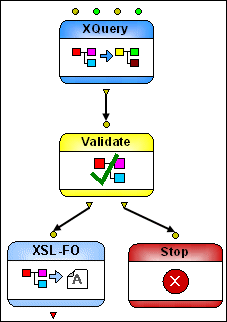
Home > Online Product Documentation > Table of Contents > Stop and Warning Nodes Stop and Warning NodesStop and Warning nodes are used to indicate exceptions to or special conditions encountered in an XML pipeline's execution. They serve a similar purpose, but behave in different ways. Stop NodesFigure 422, for example, shows a Stop node piped to the Output invalid output port of the Validate node - if the validation using the XML Schema specified in the Validate node fails, the Stop node aborts XML pipeline processing, and a user-defined error message is generated. Stop nodes do not have an output port - XML pipeline processing ends if it encounters a Stop node.
Warning Nodes
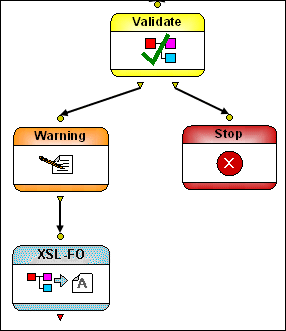
Warning nodes, like the one shown in Figure 423, do have an output port. When encountered in XML pipeline processing, a Warning node generates the user-defined error message you give to it and pipes the input it is given through to the next node in the XML pipeline.
|

XML PRODUCTIVITY THROUGH INNOVATION ™