Cart
Cart
|
Home > Online Product Documentation > Table of Contents > Adding XSLT and XQuery Transformations Adding XSLT and XQuery Transformations
The next step in building our XML pipeline is to add the XSLT and XQuery transformations generated using XML Publisher. These transformations will render the XML document resulting from the
Of course, if we wanted to, we could have used XQuery to generate the HTML and XSLT to generate the XSL-FO; or we could have used just XQuery or XSLT to generate both document formats. The technology you choose is largely a matter of personal preference, though some are better suited to certain tasks (like data aggregation, HTML formatting, and so on) than others. Add createReport.xslTo add createReport.xsl to the XML pipeline:
1. Display the
Project window (
View > Project) if it is not already open.
2. Drag
createReport.xsl from the
pipelines/order folder and drop it on the XML pipeline canvas.
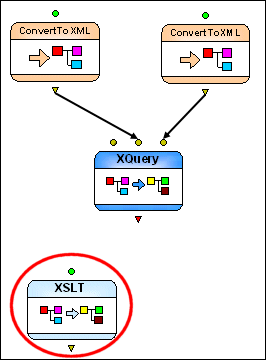
Stylus Studio add an XSLT node to the XML pipeline.
The colored input port indicates that this XSLT node already has a default input and value defined for it. We will specify our own input value (the XML document created by the
3. Drag a pipe from the output port on the
Extract full order information XQuery node to the input port on the new XSLT node.
4. Next, specify a value for the output port (
order.html, for example). See
Setting a Value for an Output Port if you need help with this step.
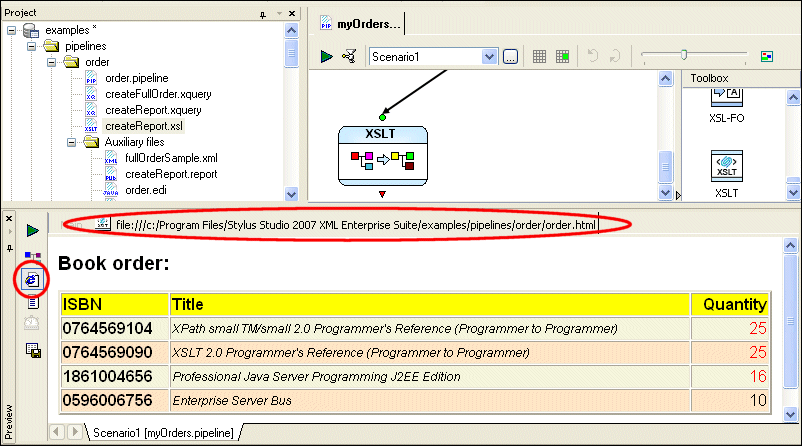
5. Test the XML pipeline by clicking the
Execute button (
 ).
).
As currently defined, our XML pipeline should create an HTML report based on the
Add createReport.xquery
All that remains for our XML pipeline definition is to specify the XQuery node that will transform
To add createReport.query to the XML pipeline:
1. Display the
Project window (
View > Project) if it is not already open.
2. Drag
createReport.xquery from the
pipelines/order folder and drop it on the XML pipeline canvas.
Stylus Studio may display a warning message, indicating that the processor specified for the
3. Click
OK to accept the default recommendation. (See
Managing Processor Conflicts for more information on this topic.)
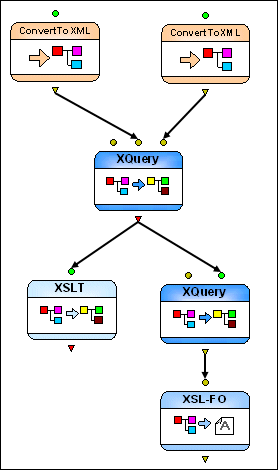
Stylus Studio adds a new XQuery and associated XSL-FO node to the XML pipeline.
The XSL-FO node is the result of the post-processing specified for the XQuery - when we generated the XQuery code from XML Publisher, we chose XSL-FO for the
Document Type (see
Figure 406). Stylus Studio automatically selected the default FO processor, RenderX XEP, to process the FO generated by
4. Drag a pipe from the output port on the
Extract full order information XQuery node to the input port on the new XQuery node.
5. Next, specify a value for the output port (
order.pdf, for example) of the XSL-FO node. See
Setting a Value for an Output Port if you need help with this step.
6. Test the XML pipeline one last time by clicking the
Execute button (
).
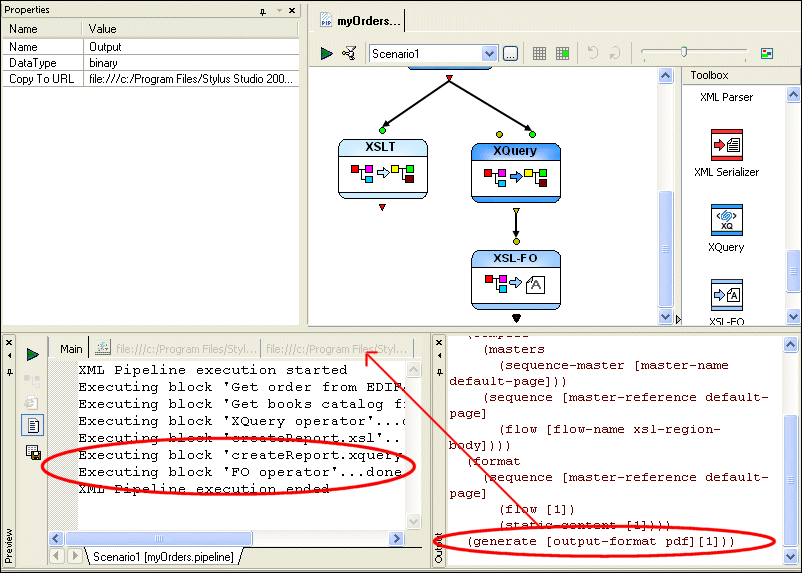
Stylus Studio reopens the Preview, which displays an execution log for the XML pipeline's operations. New statements appear for the new XQuery and XSL-FO nodes.
It also reopens the Output window, which shows output from the XSLT processor and the RenderX FO post-processor.
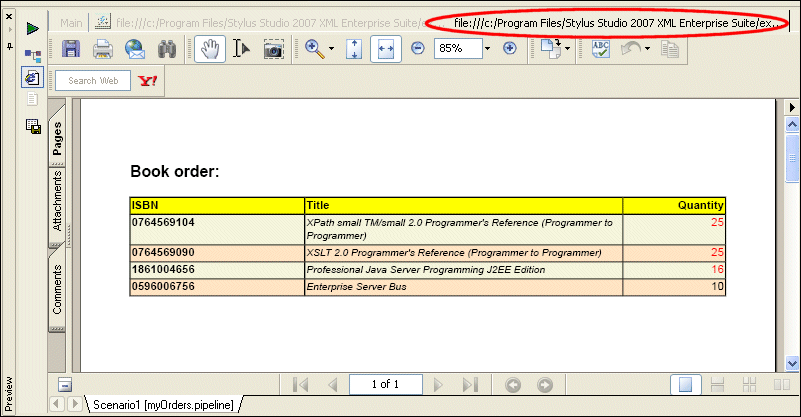
7. Click the second tab in the
Preview window to display the PDF document created by the nodes we just added to the XML pipeline.
|

XML PRODUCTIVITY THROUGH INNOVATION ™