Getting Started: Creating a New XML Pipeline

This section describes how to create a new XML pipeline document and some of the default behaviors for new XML pipelines.

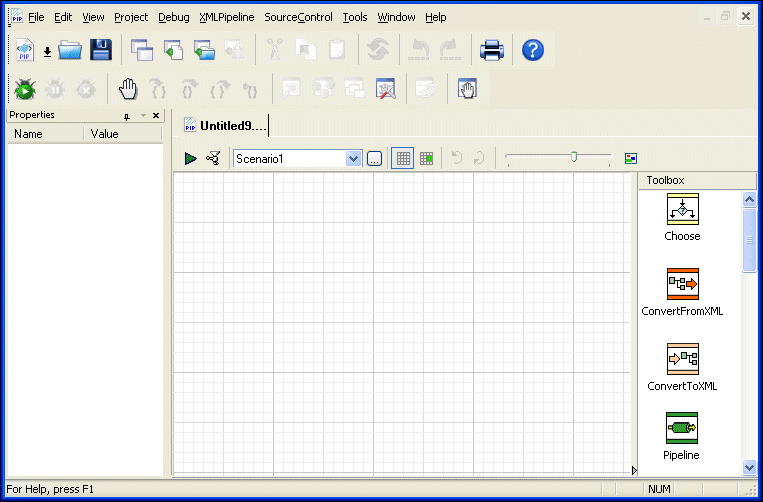
To create an XML pipeline, select File > New > XML Pipeline from the Stylus Studio menu.

When you create an XML pipeline, Stylus Studio displays a new .pipeline document in the XML Pipeline Editor. The document has a name of untitledn .pipeline, where n is a unique number.

Figure 391. New XML Pipeline Document

Save the XML Pipeline

Click the Save button ( ) and save the new XML pipeline (as myOrders.pipeline, for example).

Canonicalize XML

Stylus Studio® features a handy XML canonicalizer among its many XML editing utilities, for quickly and easily converting any XML document into its canonical form (c14n), a widely-used W3C standard for normalizing XML files.

XML Parser

An XML Parser is a parser that is designed to read XML and create a way for programs to use XML. Learn about Stylus Studio's comprehensive support for all of the world's leading XML Parsers.

Open XSLT Architecture

Learn how Stylus Studio's Open XSLT Architecture enables you to use any of the popular industry-standard XSLT processors (like Saxon, Xalan-J, MSXML, Microsoft .NET, and others) for all your XSLT development tasks.

DTD Validator

This page talks about Stylus Studio's DTD Validator it has the ability to specify any third-party XML parsers and validators, real-time syntax checking and DTD validation error reporting, backmapping, integrating third-party DTD validators and more!

Stylus Most Wanted

Site Map | Privacy Policy | Terms of Use | Trademarks
Free Stylus Studio XML Training:
W3C Member
Stylus Studio® and DataDirect XQuery™are products from DataDirect Technologies, is a registered trademark of Progress Software Corporation, in the U.S. and other countries. © 2004-2007 All Rights Reserved.