Cart
Cart
|
Home > Online Product Documentation > Table of Contents > Displaying the Project Window Displaying the Project Window
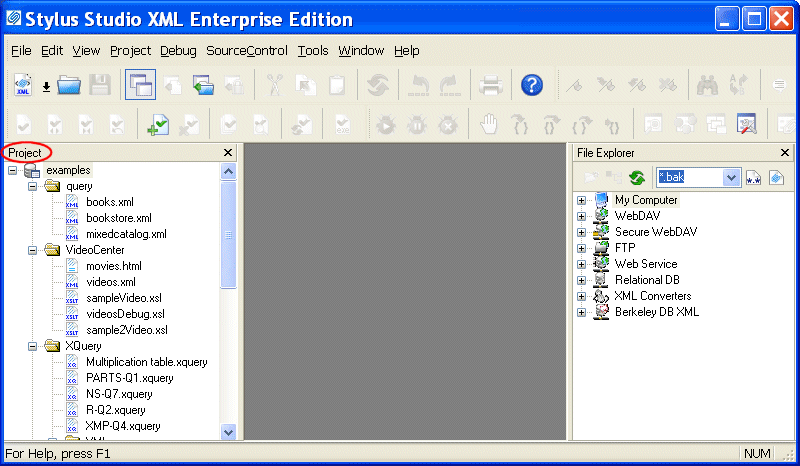
When you open Stylus Studio for the first time, Stylus Studio displays the
Project window with the
There are several ways to toggle the display of the Project window. You might want to close the Project window in order to gain more space in the editor you are working with, for example. To toggle the Project window display:
To hide the Project window:Click the X in the upper right corner of the Project window.
Displaying Path NamesYou can control whether the Project window displays absolute or relative path names for files in projects. The default display is relative names. To toggle the way path names appear:
1. Display the
Project window.
2. In the
Project window, right-click to display the pop-up menu.
3. Click
Show Full URL Info.
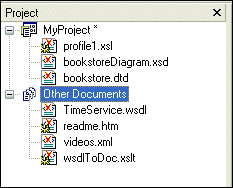
Other DocumentsStylus Studio displays documents that are not associated with a project in the Other Documents folder, which appears after the last folder or document in the currently displayed project. In addition, when you remove a file from a project, it is placed in the Other Documents folder.
You can add these documents to a project at any time. See Adding Files to Projects. |

XML PRODUCTIVITY THROUGH INNOVATION ™
 .
.