|
Home >Online Product Documentation >Table of Contents >Creating a Stylesheet from HTML Creating a Stylesheet from HTMLYou can create an XSLT stylesheet from an HTML file using the HTML to XSLT document wizard.
To run the HTML to XSLT document wizard:
1. Select File > Document Wizards from the menu.
The Document Wizards dialog box appears.
2. Click the XSLT Editor tab.
3. Double-click HTML to XSLT (or select the HTML to XSLT icon and click OK).
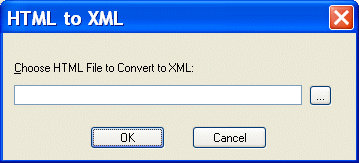
The HTML to XML dialog box appears.
4. Enter the name of the HTML file you want to convert to XSLT in the Choose HTML File to Convert to XSLT field.
5. Click OK.
Stylus Studio opens the converted HTML file as an untitled XSLT file in the XSLT Editor. |

XQuery and Web Services
XQuery provides a flexible means for data abstraction, while Web services provide process abstraction. In this online video demonstration, learn how integrated XQuery & Web service tools simplify development of XQuery-based Web service applications.
XML Reports
Build beautiful XML reports from Relational, XML and Legacy Data. You XML report can be rendered in PDF or HTML using XSLT, XQuery or XSL:FO.
Why XQuery - The Case for XQuery
Read "The Case for XQuery" - an article that debuted in the November 2005 issue of SOA WebServices Journal, written by Jerry King, Vice President of DataDirect Technologies.
Semiconductors & E-Components
Buuuuuzzzzz, zappp! There sure is a lot of electiricty flying with these semiconductors & c-component producers. It is because these top companies use Stylus Studio 2006 to light up their work day!