|
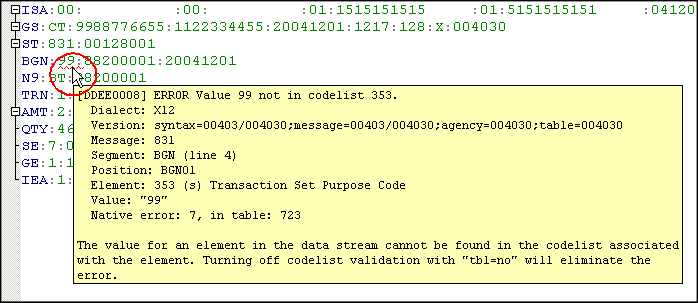
Home >Online Product Documentation >Table of Contents >Displaying Information about Errors Displaying Information about ErrorsOnce you locate an error, hover the pointer over the error (the red squiggle for data errors; the red or yellow background for EDI dialect or version errors) to display a tool tip: The tool tip provides information about the error and suggestions for correcting it. |

Stylus Studio User Guides (PDF Download)
Download Stylus Studio User Guides in printer-friendly PDF format, including documentation of past (older) versions of Stylus Studio.
Generate XSD
Stylus Studio® can generate an industry standard W3C XSD (or DTD) by correctly inferring an XML data model from an XML instance document.
Translating XML documents to EDIFACT
In-place, via XSLT and via XQuery are all mechanisms supported for converting XML to EDIFACT
Energy Companies That Use Stylus Studio
Forget red bull! Many energy companies are using Stylus Studio 2006 for their quick pick me up during the work day. Come see which energy companies are getting the boost they need with Stylus Studio!