|
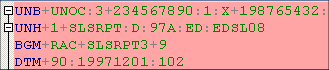
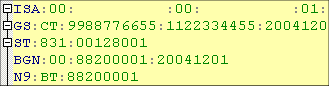
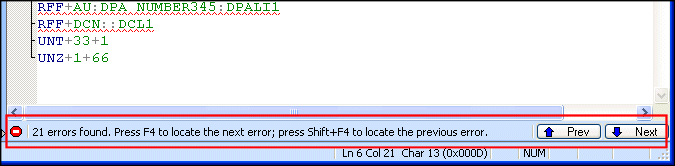
Home >Online Product Documentation >Table of Contents >How Errors Are Represented How Errors Are RepresentedEDI document errors are represented using colors and symbols in the EDI document pane, as summarized in the following table. The number of data errors identified is summarized in the status bar. Prev and Next buttons (and their keyboard equivalents) help you navigate from one error to the next. Note that incorrect dialect and version are not included in this count. |

Sun Multi-Schema XML Validator (MSV)
Learn how to integrate the Multi Schema Validator (MSV) into Stylus Studio as one of the Custom Validation Engines. It will work for files with a DTD, a single XSD, or both a DTD and a single XSD.
XSLT Debugger
Stylus Studio's XSLT debugger - a requirement for building bug-free XSLT stylesheets and XML data transformation applications. Stylus Studio's XSLT debugger gives you complete visibility and control over the XSLT transformation process.
Building DataDirect XQuery Applications
Stylus Studio further simplifies relational and XML data integration by providing advanced XQuery tools support for building XQuery applications which use DataDirect XQuery.
DTD Generator
Stylus Studio's DTD Generator supports the automatic generation and association of both internal and external DTDs based on XML instance documents.