Cart
Cart
|
Home > Online Product Documentation > Table of Contents > Specifying a Target Structure Specifying a Target StructureThere are two ways to specify an XQuery target structure:
This section covers the following topics: See Modifying the Target Structure to learn about the types of changes you can make to a target structure. Using an Existing DocumentTo use an existing document to provide the XQuery target structure:
1. Click the
Mapper tab if necessary.
2. Click the
Set Target Document button at the top left of the
Mapper tab.
The Open dialog box appears.
3. Select the document you want to use to provide the target structure for defining the XQuery.
4. Click
Open.
The structure of the document you select appears in the target document pane of the Mapper tab. Building a Target StructureTo build a target structure from scratch, you first create a root element, and then define child elements and attributes as needed. How to create a root elementTo create a root element:
1. Click the
Mapper tab if necessary.
2. Right click the area underneath the
Set Target Document button.
The target document shortcut menu appears.
3. Select
Create Root Element.
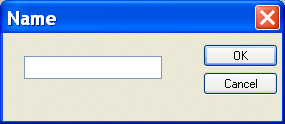
The Name dialog box appears.
4. Type a name for the root element and click
OK.
The root element you specified appears in the target document pane of the Mapper tab. How to create elements and attributesTo create elements and attributes:
1. Click the
Mapper tab if necessary.
2. Select the attribute or element to which you want to add a child element or attribute. If you have just created a root element, select the root element.
3. Right click the area underneath the
Set Target Document button.
The target document shortcut menu appears.
4. Choose one of the following:
The Name dialog box appears.
5. Type a name for the node and click
OK.
The node you specified is added to the target structure in the Mapper tab. |

XML PRODUCTIVITY THROUGH INNOVATION ™