Generate the Code

Once the report is finished, we can generate XSLT or XQuery code to produce a report.

31. Click the Generate button on the toolbar.

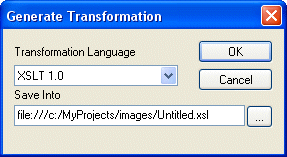
Stylus Studio displays the Generate Transformation dialog box.

Figure 498. Generate Transformation Dialog Box

We want to use XSLT to generate our report, so we do not need to change the values for Document Type or Transformation Language.

32. The default name for the .xsl file is based on the .report file name. We change Untitled1.xsl to myMovieRatings.xsl and click OK.

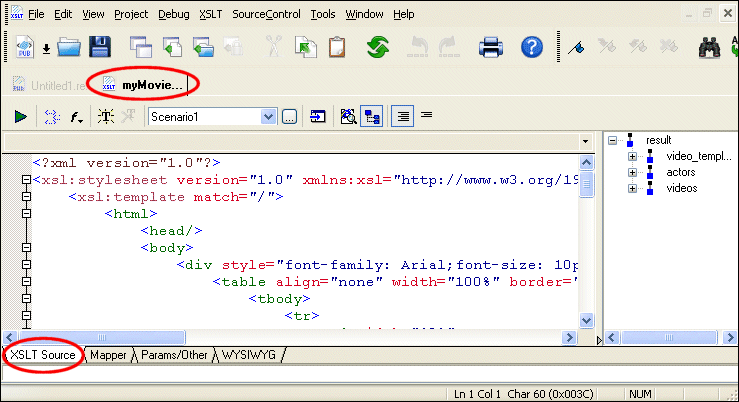
Stylus Studio opens the generated XSLT in the XSLT Editor, as shown in Figure 499.

Figure 499. XSLT Generated from the XML Publisher Report

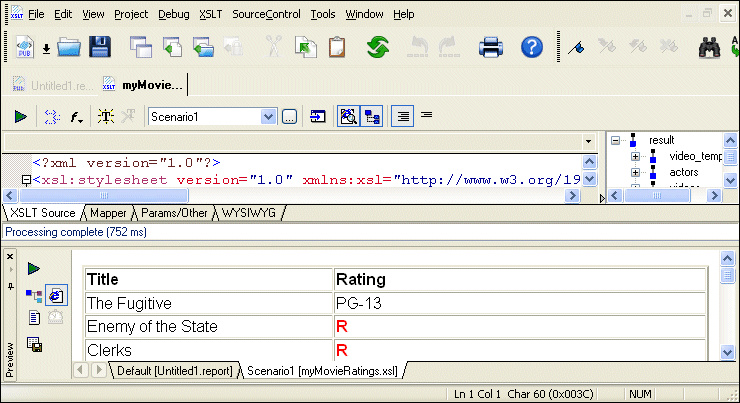
33. If we preview the XSLT, we see the same results as when we previewed the report in XML Publisher.

Figure 500. Preview of the XSLT Generated by XML Publisher

Business Solutions & Outsourcing

Business Solutions & Outsourcing companies know the best solutions. That's why they choose Stylus Studio to enhance their business productivity. See which companies are already using Stylus Studio 2006 to take care of their own business!

EDI to XML Mapping in Stylus Studio

Learn how to use Stylus Studio's EDI to XML mapping tools in Convert-to-XML, including loading an EDI file, inspecting application control codes, customizing XML output and other advanced EDI to XML mapping features.

Computing XML Differences in Stylus Studio

See for yourself just how easy it is to visually compare different XML files or folders using Stylus Studio's powerful new XML Differencing Utility. Quickly and easily analyze and merge changes made to different XML documents!

Educational Institutions That Use Stylus Studio

Education is the most powerful tool one can have. That's why these top education providers reach for Stylus Studio to educate their students and professors as well. See which education providers have the most powerful XML IDE in their classrooms!

Stylus Most Wanted

Site Map | Privacy Policy | Terms of Use | Trademarks
Free Stylus Studio XML Training:
W3C Member
Stylus Studio® and DataDirect XQuery™are products from DataDirect Technologies, is a registered trademark of Progress Software Corporation, in the U.S. and other countries. © 2004-2007 All Rights Reserved.