Cart
Cart|
|
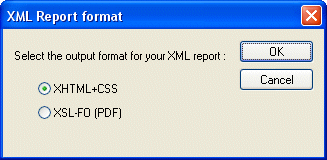
Home > Online Product Documentation > Table of Contents > Choosing a Report Format Choosing a Report FormatWhen you create an XML Report in Stylus Studio, you need to specify the format you want for the finished report - HTML (XHTML+CSS) or PDF (XSL-FO). Stylus Studio can generate XQuery or XSLT code for either format. You specify report format using the XML Report Format dialog box, which appears when you create a new XML Report in Stylus Studio:
Specifying a format up front allows Stylus Studio to use format information to expose format-specific properties - like headers and footers for reports in PDF, for example - to help speed and simplify report creation. |

XML PRODUCTIVITY THROUGH INNOVATION ™