Using the Text Editor

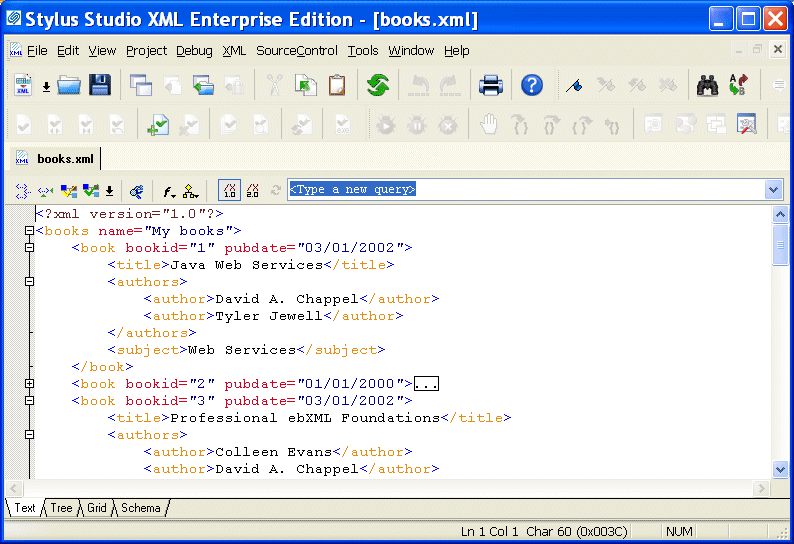
You use the Text tab of the XML editor to edit XML text. The Text tab provides the usual tools you expect to find in a text editor. These tools are described in this section.

Figure 119. Text Tab in the XML Editor

This section covers the following topics:

XML Development Blogs

Blogging is the hottest fad on the Internet and Stylus Studio has jumped on the bandwagon. Bookmark these XML Blogs to keep up with all the latest XML buzz in the internet blogosphere. Includes RSS and Atom Feeds!

XSLT Mapper

Simplify XSLT mapping with the Stylus Studio XSLT Mapper - supports multiple data sources, round-trip engineering (synchronized editing views), XSLT function blocks, integrated XSLT preview and more.

Microsoft .NET XML Tools for System.XML 1.0 and System.XML 2.0

Stylus Studio features integrated XML validation, XSLT transformation and XSLT debugging using the official Microsoft .NET XML processing components: System.XML 1.0 and System.XML 2.0.

Building Workflow Applications with XML

Learn how to design custom XML workflow applications - from modeling your data and information processes, to capturing input from users in XML, and finally, generating useful queries and reports from the XML data -- using XSLT & XQuery technologies.

Stylus Most Wanted

 
Free Stylus Studio XML Training:
W3C Member