Cart
Cart|
Home > XML IDE - XML Editor > XML Editor Key Features > XSLT Tools > XSL:FO Editor
XSL:FO EditorStylus Studio® is a twin-mode XSL:FO editor. It has
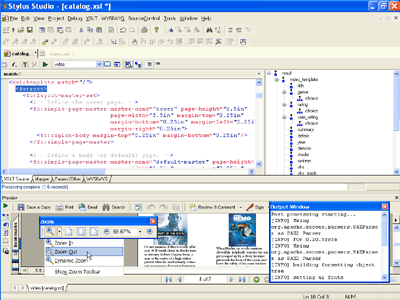
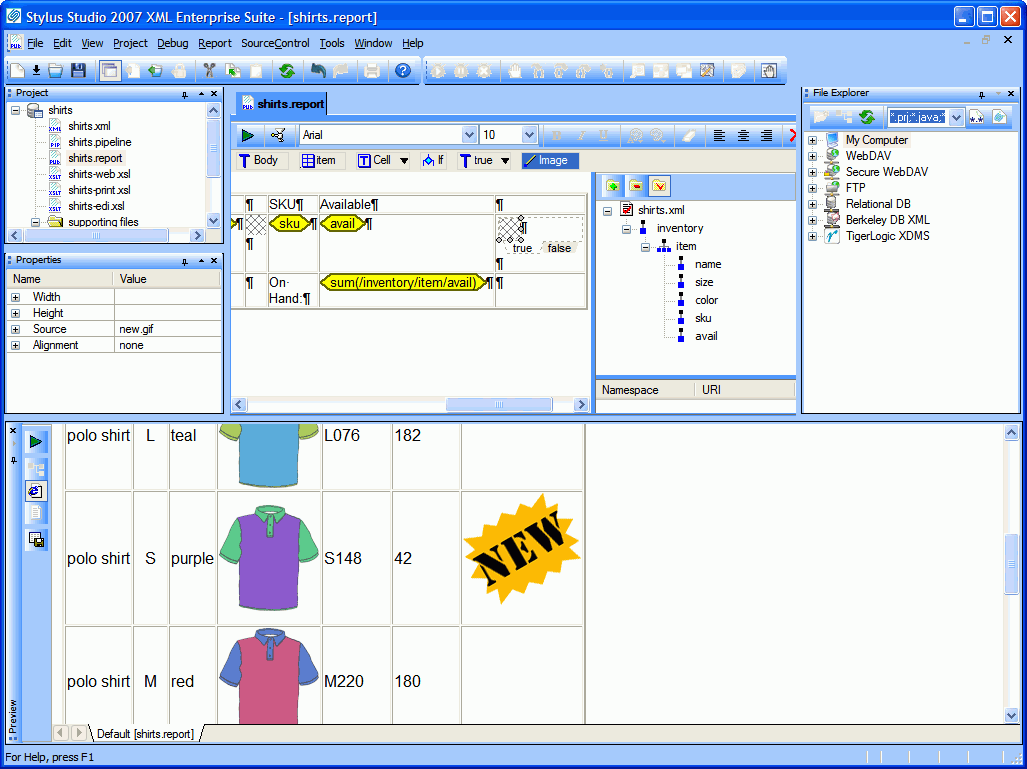 (click to enlarge) For visual design of XSL:FO, see the XML Report Publishing pages — they will take you through the features and examples showing how to create XSL:FO without actually writing XSL:FO. For those of you who want to get down and dirty with the XSL:FO itself, Stylus Studio® includes an XSL:FO editor (illustrated below) that is loaded with numerous XSL:FO development features that make it ideal for developing XML-based publishing applications. (When you click on the image below, the video tutorial will start after a brief delay.)
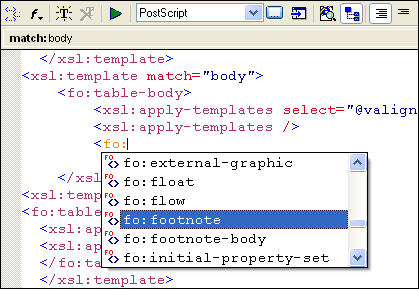
Intelligent XSL:FO EditingStylus Studio's XSL:FO editor includes full support for intelligent XSL:FO editing (illustrated below), including syntax coloring and code sensing for standard XSL:FO tags, such as fo:float, fo:footnote, and so on, in addition to HTML and XSLT tag sets.
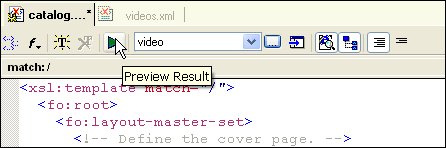
Single-Click XSL:FO TransformationExecuting a XSL:FO stylesheet transformation is easy: Just associate an XML data file with an XSL:FO stylesheet and click the Preview icon on the XSL:FO toolbar. The resulting output document is displayed in the Preview window, and status messages from the XSL:FO processor (OK and Error, for example) are reported to an output console.
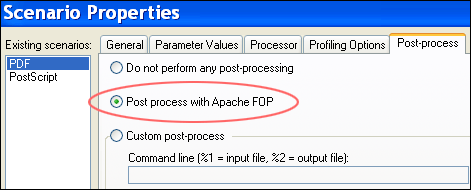
Support for Post-Processing of XML using Apache FOPStylus Studio allows you to specify XSL:FO post processing options on XSLT transformations using Apache FOP. This is useful in multi-stage XML transformation scenarios — as when you first need to extract data from a relational database into XML, or invoke a live Web service method before rendering it to say, a PDF or PostScript file, for example.
Integrated PDF Preview Window for XML to PDF transformationsStylus Studio's Integrated PDF Preview window alows you to visually inspect the resulting ouput of an XML to PDF XSL:FO transfomation in an integrated PDF preview windows, further helping you get the transformations to appear exactly as you want them to appear.
Stylus Studio's XSL:FO Editor is a powerful XSL:FO development tool, ideal for developing advanced, XML-based multi-channel publishing and information management systems.
|
PURCHASE STYLUS STUDIO ONLINE TODAY!!Purchasing Stylus Studio from our online shop is Easy, Secure and Value Priced! 
Try STYLUS XSL:FO EditorDownload a free trial of our powerful XSL:FO Editor Today! What's New for Stylus Studio® X16?New XQuery & Web Services Tools, Support for MySQL, PostgreSQL, HL7 EDI, Microsoft .NET Code Generation and much more! Ask Someone You KnowDoes your company use Stylus Studio? Do your competitors? Engineers from over 100,000 leading companies use Stylus Studio, and now you can ask someone from your own organization about their experiences using Stylus Studio. |

XML PRODUCTIVITY THROUGH INNOVATION ™