Cart
Cart|
|
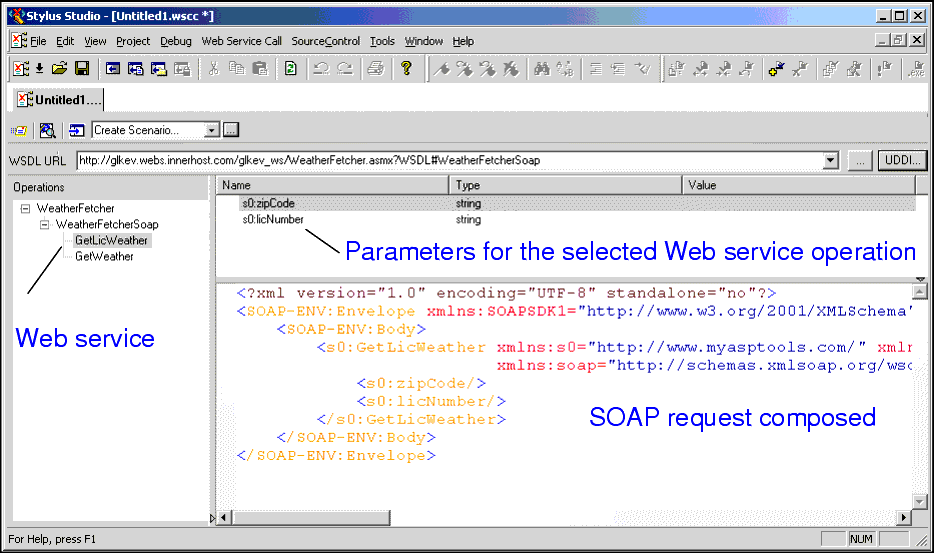
Home > Online Product Documentation > Table of Contents > Modifying a SOAP Request Modifying a SOAP RequestWhen you select a WSDL from the Result field in the UDDI Browser and click OK, the operations exposed by the Web service are displayed in the Stylus Studio Web Service Call Composer.
When you select an operation from the Operations pane, Stylus Studio displays
Understanding Parameters
Stylus Studio displays the datatype for SOAP request parameters. It is not possible to determine all of the details for parameters, however. A
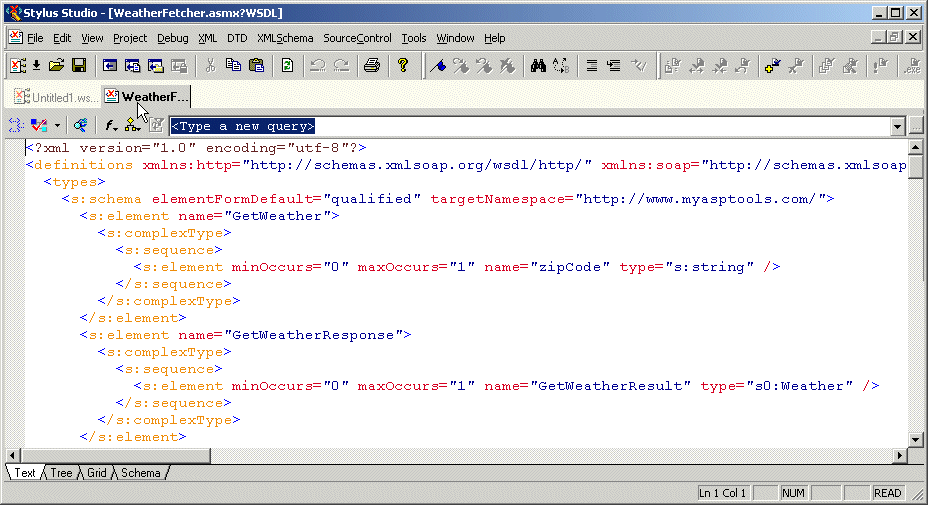
Or it might take only a single value. Sometimes this type of information is provided in the WSDL itself. In some cases, however, you might have to contact the Web service provider to obtain this information. Displaying a WSDL DocumentYou can easily display a WSDL document within Stylus Studio once you have specified the WSDL URL. You might want to look at a WSDL document to learn more about the structure of the SOAP request, or to see if the Web service provider commented the XML to include information for developers using their Web service. How to display a WSDL document
To display a WSDL document, click the Open WSDL Document button (
|

XML PRODUCTIVITY THROUGH INNOVATION ™
 ) near the top of the Web services editor.