|
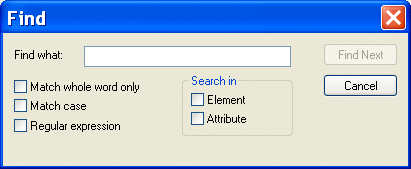
Home >Online Product Documentation >Table of Contents >Searching Document Panes Searching Document PanesYou can search document panes using the Find dialog box. You can restrict your search to elements and/or attributes, and you can even search using regular expressions to define your match pattern. To display the Find dialog box:
1. Right-click in the document pane.
2. Select Find from the shortcut menu.
|

An Introduction To XML Schema Development
An Introduction to XML schema development in Stylus Studio covers some of the highlights of our XML Schema Editor, powerful tools for editing, validating, converting and generating XML schema. Watch the video online today!
ETL - Extract, Transform, Load
Designing Extract, Load and Tranform (ETL) applications including ETL data warehousing, etl design and etl programming is easy with Stylus Studio's XML and ETL Tools. Start ETL Programming today.
Sybase
Sybase Adaptive Server Enterprise (ASE) is a powerful high-performance database for recording and retrieving business records. Learn how to develop XML applications for Sybase using Stylus Studio.
XPath Introduction - Using XPath Queries to Extract Data from XML Documents
The XPath introduction covers how to use XPath code completion, XPath syntax highlighting, support for XPath 2.0 functions and XML namespaces to simplify your next XPath application.