|
Home >Online Product Documentation >Table of Contents >Creating a Template That Matches the author Element Creating a Template That Matches the author ElementThis topic is part of a sequence that starts with Creating a New Sample Stylesheet. To define a template that matches the author element:
1. In the XSLT editor source document tree pane, expand the book element.
2. Double-click the author element.
Stylus Studio creates a template that matches the
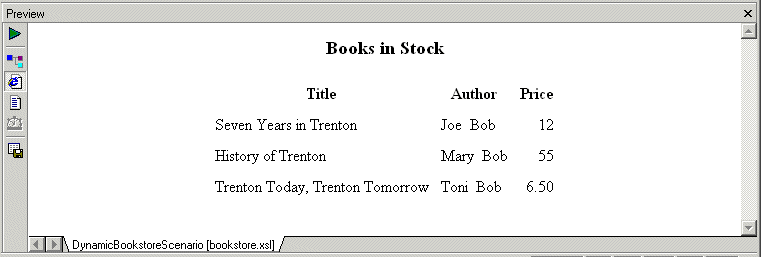
3. In the XSLT editor pane view, edit the template body so that it contains only the following contents. If you do not include the nonbreaking space entity, the first name and the last name have no space between them. Press F5 to see the results of this change, as shown in Figure 233.
4. Save the stylesheet by clicking Save
5. Close the stylesheet by clicking File > Close on the Stylus Studio menu bar.
|

Banks That Bank on Stylus Studio for Enhanced XML Productivity
Guess what! You can pass go and collect 200 dollars because with Stylus Studio 2006 you can save your banking company time and labor in every day work activities. Come see which banking companies are already taking advantage of Stylus Studio today!
Stylus Studio Enables Multi-Channel Publishing for University of Pittsburg Professor
Learn how Dr. David Birnbaum of the University of Pittsburgh uses Stylus Studio to develop customized XSLT stylesheets that produce enhanced versions of source documents in different output formats, including Web and print.
Using Relational Data in XML Applications
"Using Relational Data in XML Applications" By Dr. Michael Kay covers an overview of several common use cases and provides insight into the benefits and drawbacks of using the approaches available today including XQuery and SQL/XML.
Why XQuery - The Case for XQuery
Read "The Case for XQuery" - an article that debuted in the November 2005 issue of SOA WebServices Journal, written by Jerry King, Vice President of DataDirect Technologies.