|
Home >Online Product Documentation >Table of Contents >Using the Grid Tab Using the Grid Tab
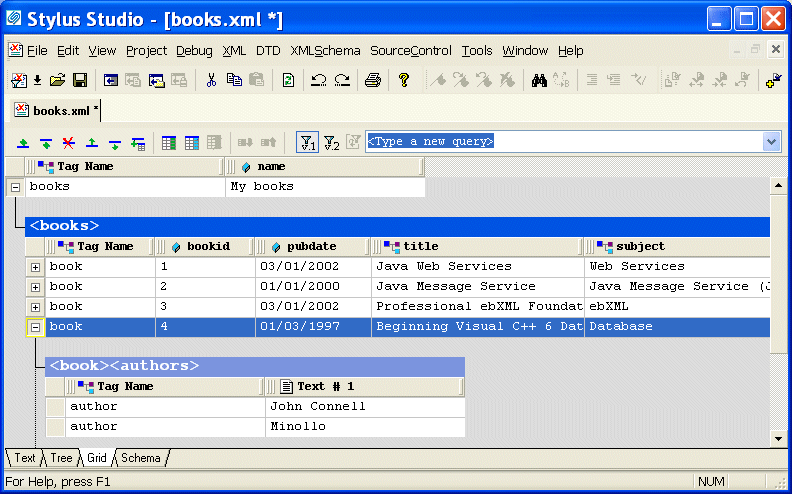
The Grid view of an XML document is useful for structured data - it is a convenient way to view and work with documents that contain multiple instances of the same type of element. This section describes the features of the Grid tab and how to use it to edit XML documents. This section covers the following topics:
A complete list of the videos demonstrating Stylus Studio's features is here: http://www.stylusstudio.com/xml_videos.html. |

Learn Convert to XML
Convert to XML lets you convert .txt, binary, and EDI files to XML documents. Convert to XML works on a single document, or to build reusable converters that let you open flat files as XML documents. Free online demonstration!
EXSLT Tools
EXSLT support in Stylus Studio lets you extend XSLT 1.0 stylesheets and simplify many tasks including computing dates and times, performing mathematical computations, string manipulations and more.
Validating EDIFACT Documents with XML Schemas
Either before or after transforming EDIFACT content, generated XML Schemas will make sure that we have all of the necessary components, our codes are all according to the standard codelists, and every little delimiter is in the right place.
HTML Tidy
HTML Tidy is a program for turning HTML into something that can be parsed as XML, unlocking their data for use in XSLT and XQuery programs. Learn how to use HTML Tidy in Stylus Studio now.