|
Home >Online Product Documentation >Table of Contents >How Grid Changes Affect the XML Document How Grid Changes Affect the XML DocumentWhen you make a change to the document structure or content on the Grid tab, those changes are reflected immediately in the underlying XML document. You can see your changes affect the document on the Text tab.
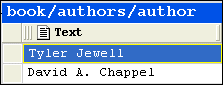
Consider the following excerpt from If you move the rows in the authors table, for example, as shown in Figure 118, the underlying XML changes accordingly: Types of Changes that Affect the DocumentThe following changes, all of which can be made using Grid tab, affect the underlying XML document:
Changes you make affect the current instance only. For example, in the example shown in Figure 118, only that instance of the nested table is affected. If you add a column to |

Publishing & Printing
It is really hard to get things to look pretty, especially XML. That's why these publishing & printing companies use Stylus Studio to make a Mona Lisa out of data integration. Check out these top companies that are "stunning" with Stylus Studio!
XML Helps Uncork Innovative Winery Web Sites
Learn how Freerun Technologies, Inc., a leading Internet services provider used Stylus Studio and XML technologies to develop a framework for Web-based eCommerce applications for the wine industry, reducing development cycles.
XSD Editor
XSD Editor provides a synchronized split-pane interface that simultaneously shows both a visual XSD Diagram and the underlying code, with changes in one pane immediately reflected in the other
Convert to XML
Convert to XML is a powerful data integration tool enabling you to convert any legacy data format (EDI, EDIFACT, x12, Binary, HTML, TSV, CSV, etc.) to XML using an intuitive, visual user interface.