|
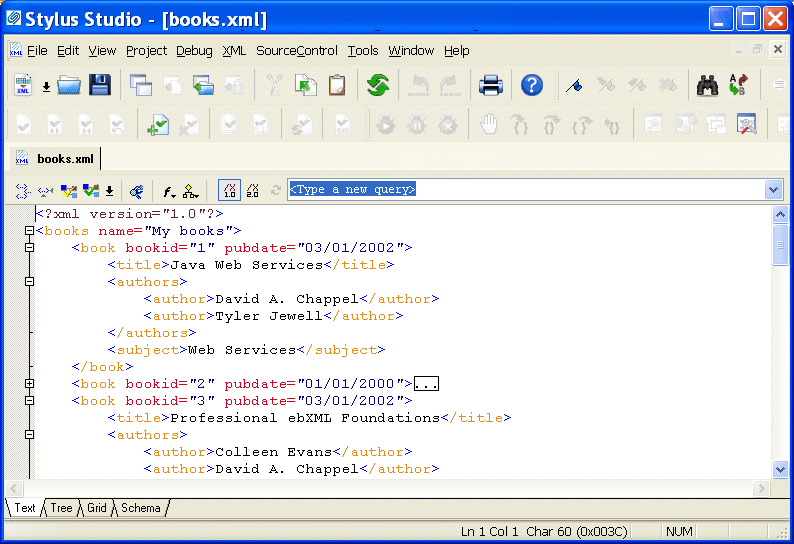
Home >Online Product Documentation >Table of Contents >Using the Text Editor Using the Text EditorYou use the Text tab of the XML editor to edit XML text. The Text tab provides the usual tools you expect to find in a text editor. These tools are described in this section. This section covers the following topics: |

Web Service Standards
Stylus Studio supports Web service standards including WSDL, UDDI and SOAP. The Web Service Tester lets you easily develop and leverage Web services in your XML applications.
Convert to XML
Convert to XML is a powerful data integration tool enabling you to convert any legacy data format (EDI, EDIFACT, x12, Binary, HTML, TSV, CSV, etc.) to XML using an intuitive, visual user interface.
Validating X12 Documents with XML Schemas
Either before or after transforming X12 EDI content, generated XML Schemas will make sure that we have all of the necessary components, our codes are all according to the standard codelists, and every little delimiter is in the right place.
Using XSLT Templates
Using XSLT Templates is an online video demonstration of the Stylus Studio XSLT designer. See just how easy it is to create, apply and match XSLT templates to your XML data to create beautiful HTML layouts for XML content publishing applications.