|
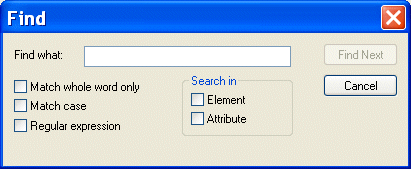
Home > Online Product Documentation > Table of Contents > Searching Document Panes Searching Document PanesYou can search document panes using the Find dialog box.
You can restrict your search to elements and/or attributes, and you can even search using regular expressions to define your match pattern. To display the Find dialog box:
1. Right-click in the document pane.
2. Select
Find from the shortcut menu.
|

Java Code Generation
The Stylus Studio Java Codce Generator lets you generate deployable Java code for XQuery and XSLT at the push of a button!
Property Management & Real Estate
XQuery Tutorial
This XQuery Tutorial is about "BUILDING XQUERY BASED WEB SERVICE AGGREGATION AND REPORTING APPLICATIONS".
XML-to-XML Mapper
XML to XML mapping tools in Stylus Studio provide a powerful visual interface for mapping XML data from-and-to virtually any data format using industry-standard XSLT and XQuery technologies.