Cart
Cart|
Home > Online Product Documentation > Table of Contents > How to Create an XML Publisher Report How to Create an XML Publisher ReportTo create an XML Publisher report:
1. Select
File >
New >
XML Report from the Stylus Studio menu.
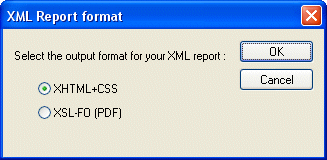
The XML Report Format dialog box appears.
2. Select the desired report format (HTML or PDF) and click OK.
An untitled
|

XML PRODUCTIVITY THROUGH INNOVATION ™