Cart
Cart|
Home > Online Product Documentation > Table of Contents > Sources SourcesAs described in Working with Data Sources, if you plan on generating XSLT for your XML Publisher report you must have specified at least one default source. (Sources are not required for generating XQuery, though it is considered good practice to specify one.) Additional SourcesYou can specify multiple sources for an XML Publisher report. The first source is specified in the XSLT/XQuery Scenario Properties dialog box as shown in the following table.
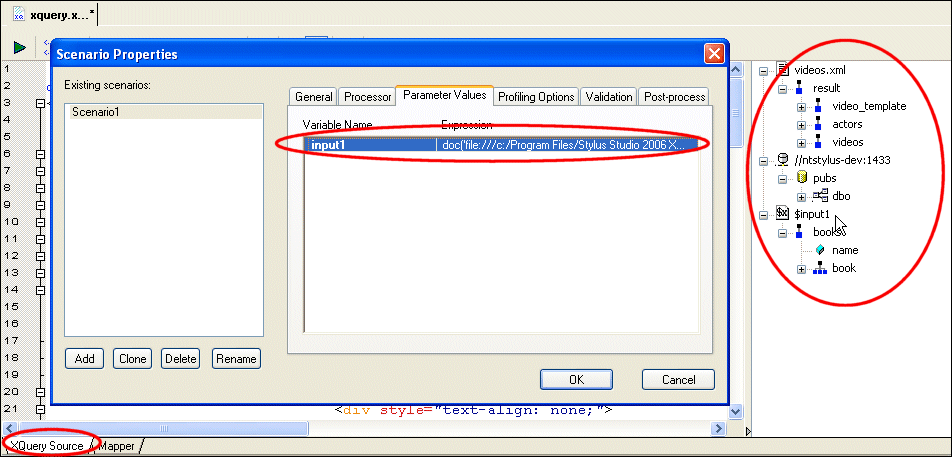
The expression associated with these variable names is displayed on the Parameter Values page of the Scenario Properties dialog box, like the one shown for XQuery scenarios in Figure 491.
As you can also see, Figure 491 shows how data sources specified in XML Publisher are represented in the XQuery (and XSLT) editor. This XQuery uses three XML sources: More About Relational SourcesRelational sources, like the one shown in Figure 491, are referenced in different ways by XSLT and XQuery:
See Working with the XQuery collection() Function for more information. |

XML PRODUCTIVITY THROUGH INNOVATION ™