Cart
Cart|
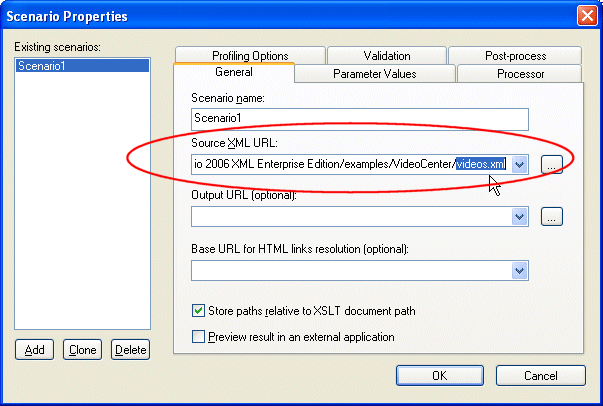
Home > Online Product Documentation > Table of Contents > Specifying a Default Data Source Specifying a Default Data SourceStylus Studio uses the first data source you add as the default data source. The default data source is specified as the Main input for XQuery scenarios, and as the Source XML URL for XSLT scenarios. In other words, when you generate XQuery or XSLT for your XML Publisher report, the default data source is automatically specified in the scenario properties, as shown in Figure 440.
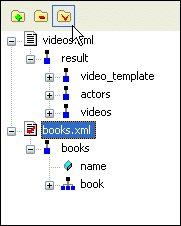
The red check on the document icon (see Figure 438) indicates a data source's default status. You can specify any data source you add as the default data source. To specify the default data source:
1. In the data sources panel, select the data source you want to specify as the default (
books.xml, in
Figure 441, for example).
2. Click the
Set As Default button (
 ).
).
The data source is set as the new default, as indicated by the red check.
|

XML PRODUCTIVITY THROUGH INNOVATION ™