XML Pipeline Terminology

Understanding the following terms will help you work with XML pipelines in Stylus Studio.

Term
Description
Example
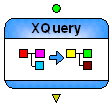
Node
Generally, an XML pipeline operation. In an XML pipeline diagram, the glyph that represents an XML pipeline operation. Examples include XSLT, XQuery, Pipeline, and Validate.
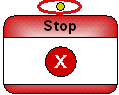
Input port
The circle on top of some nodes used to receive a pipe from an output port. A node can have more than one input port.
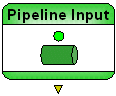
Output port
The triangle on the bottom of some nodes used to connect to an input port using a pipe. A node can have more than one output port.
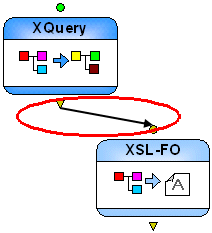
Pipe
The conceptual name for the line that connects two nodes, from the output port on one, to the input port on the other.
Table 112. XML Pipeline Terminology

XPath Query Editor

Stylus Studio's XML Editor has an XPath Query Editor that allows you to easily roubleshoot, test, and debug any XPath expression.

Stylus Studio XQuery Innovator Awards

The Stylus Studio® First Annual XQuery Innovator Awards offers enterprise software developers, systems integrators, and XML professionals the opportunity to have their work publicly showcased and gain valuable recognition as XQuery pioneers.

X12 Standards Available Across All Releases

The complete X12 Standards Grid, listing all X12 EDI releases across the top, and the corresponding transaction sets down the left side.

Java Code Generation

The Stylus Studio Java Codce Generator lets you generate deployable Java code for XQuery and XSLT at the push of a button!

Stylus Most Wanted

Site Map | Privacy Policy | Terms of Use | Trademarks
Free Stylus Studio XML Training:
W3C Member
Stylus Studio® and DataDirect XQuery™are products from DataDirect Technologies, is a registered trademark of Progress Software Corporation, in the U.S. and other countries. © 2004-2007 All Rights Reserved.