|
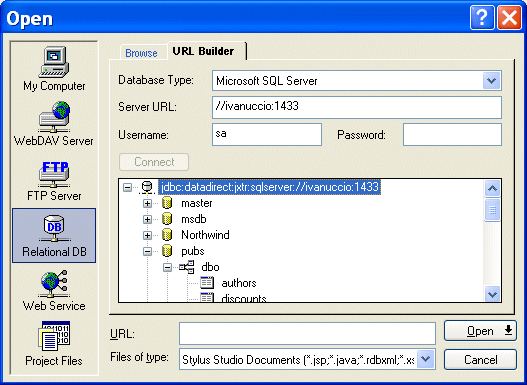
Home > Online Product Documentation > Table of Contents > Using the URL Builder Using the URL BuilderThe URL Builder utility lets you connect to a relational database server, select a table or view, and render that object as an XML document. You can use this feature, implemented on the URL Builder tab of the Open dialog box, to open a new XML document anywhere in Stylus Studio - in the XML Editor, the XQuery and XSLT Mappers, and so on.
In this sectionThis section covers the following topics: |

SQL/XML Tutorial
Many developers need to be able to write applications that work for databases from multiple vendors. This SQL/XML Tutorial refers to SQL/XML, XQuery, and Native XML Programming Languages to do just that.
XML Schema Documentation Generator
Stylus Studio's XML Schema Editor includes an integrated XML Schema documentation generator, allowing you to easily publish XML content models defined in XML Schema in a convenient, HTML format. A screenshon of the XML Schema Editor is shown here.
Validating EDIFACT Documents with XML Schemas
Either before or after transforming EDIFACT content, generated XML Schemas will make sure that we have all of the necessary components, our codes are all according to the standard codelists, and every little delimiter is in the right place.
Scientific, Photo & Control Equipment
Scientific, photo & control equipment companies hear clicks and beeps all day. But, when it comes to data integration it needs to be done in a flash, that's why they use Stylus Studio. Come see which top companies are seeing XML in a brand new light!