Home >
Online Product Documentation >
Table of Contents >
Overview
Overview
Stylus Studio's
Convert to XML is an adapter you use to build converters that convert non-XML files to XML documents. Convert to XML consists of
- An
adapter engine that processes non-XML source files using the converter configuration file (
.conv) you specify. The adapter engine is called silently any time you open a file using a Convert to XML converter. You can also run the adapter engine manually to test the results of the converters you create, but it has no user-visible or configurable components.
- An
editor that lets you configure the instructions in the
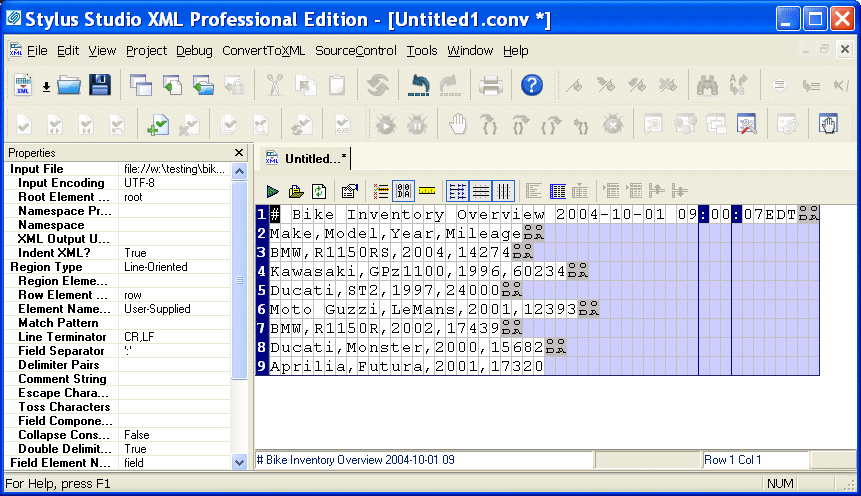
.conv file used by the adapter engine to process non-XML files. The Convert to XML Editor, shown in
Figure 140, displays information read from the source file you are using as a model to build your converter, as well as values you want the adapter engine to use when converting files of this type to XML. The Convert to XML Editor is displayed automatically when you create a new converter or open an existing one.
|
|
Figure 140. Convert to XML Editor
 Cart
Cart