Cart
Cart
|
Home >Online Product Documentation >Table of Contents >Referencing XML Schemas in the Diagram View Referencing XML Schemas in the Diagram ViewTo reference an XML Schema in the Diagram view:
1. Right-click the schema node  .
.
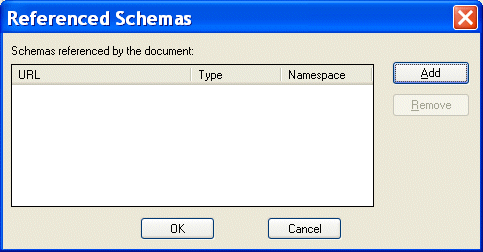
2. Click Referenced Schemas on the shortcut menu.
The Referenced Schemas dialog box appears.
3. Click the Add button.
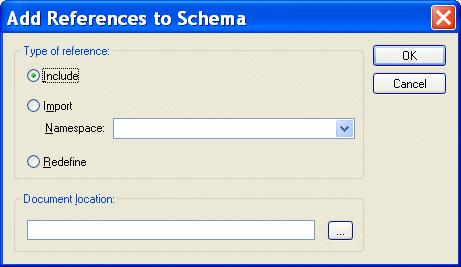
The Add References to Schema dialog box appears.
4. Specify the type of reference you want to make. If you are redefining an XML Schema, specify the namespace in the Namespace field.
5. Specify the URL of the XML Schema you want to reference. For example:
6. Click OK.
You are returned to the Referenced Schemas dialog box.
7. Click OK to add the referenced XML Schema to your XML Schema.
|

XML PRODUCTIVITY THROUGH INNOVATION ™