What Happens When You Create a Template

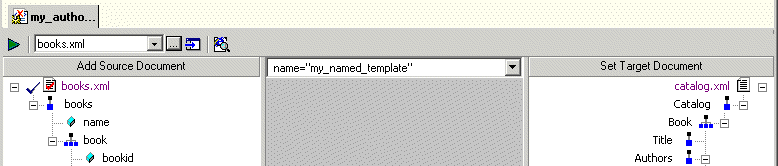
When you create a template, Stylus Studio switches the XSLT mapper to the new template. The attributes identifying the template you are currently viewing are displayed in the template drop-down list at the top of the mapper canvas.

Figure 240. Drop-down List Shows Current Template

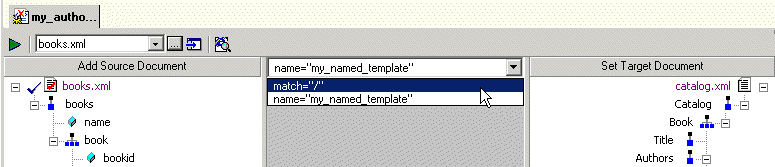
You can change the template view at any time, by selecting the template from the drop-down list, as shown in Figure 241.

Figure 241. Display Different Templates Using the Drop-down List

Tip


At any time, the mapper shows only the links that have been defined for the current template.

Using DataDirect XQuery with Stylus Studio

Learn how to query any relational database using XQuery and the XQuery API for Java using DataDirect XQuery, an embeddable Java component, and Stylus Studio the world's leading XML IDE.

XML Generator

Create sample XML instance documents from any XML Schema using the XML Generator. The generated XML document is always valid, well-formed XML!

XML Editing Views

Stylus Studio includes three synchronized XML editing views: Text View, Tree View, and Grid View, allowing you to work with and edit XML documents in whatever way suits you best.

XQuery Talk

Join the XQuery Talk mailing list for a practical discussion about XQuery. It's a place to work together to learn a new language, talk about problem solutions, discuss engines and implementations, chat about the latest XQuery news and more.

Stylus Most Wanted

 
Free Stylus Studio XML Training:
W3C Member