|
Home > Online Product Documentation > Table of Contents > Creating a Template That Matches the book Element Creating a Template That Matches the book ElementThis topic is part of a sequence that starts with Creating a New Sample Stylesheet.
The template that matches the root node includes an
To define the template that matches the book element:
1. In the XSLT editor source document tree pane, expand the
bookstore element.
2. Double-click the
book element.
Stylus Studio creates a template that matches the
3. In the XSLT editor pane, add the following instructions to the new template's body:
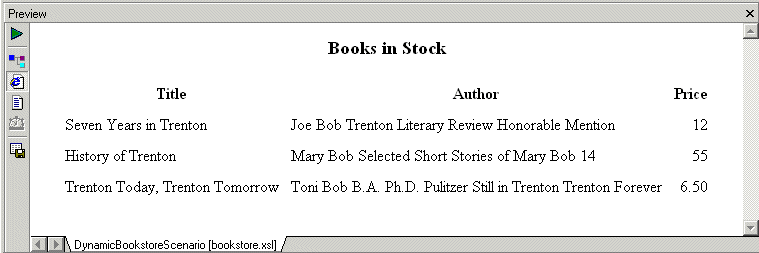
Press F5 to see the results. The result document looks like that shown in Figure 200:
In the
|

ETL - Extract, Transform, Load
Designing Extract, Load and Tranform (ETL) applications including ETL data warehousing, etl design and etl programming is easy with Stylus Studio's XML and ETL Tools. Start ETL Programming today.
XQuery Tutorial
This XQuery Tutorial is about "BUILDING XQUERY BASED WEB SERVICE AGGREGATION AND REPORTING APPLICATIONS".
Chemical Companies That Use Stylus Studio
When working in a lab it's always important to have the right ingredients. That's why top chemical companies use Stylus Studio 2006 to create the ultimate experiments. See which of these top chemical companies are using Stylus Studio today!
Simple API for XML (SAX)
SAX stands for Simple API for XML - SAX is an XML standard used everywhere in Stylus Studio, for parsing and building representations of XML documents.