|
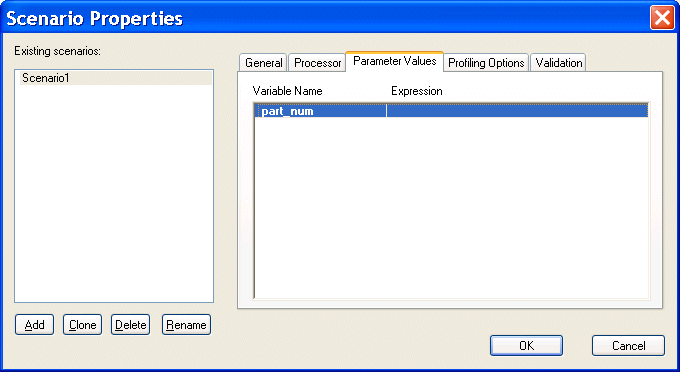
Home > Online Product Documentation > Table of Contents > Setting Values for External Variables Setting Values for External VariablesThe Parameter Values tab of the Scenario Properties dialog box displays any external variables you have defined in the XQuery source. You can specify the parameter value you want to use for any external variables when you run the scenario. For example, imagine your XQuery code contains the following:
This variable is displayed on the Parameters tab as follows:
When you run the scenario, you can specify the parameter value you want to use by double-clicking the Expression field and typing a value. Valid values are XPath expressions and must be entered using single or double quotes. |

Configuring the Java Runtime Engine or Java Development Kit
This page identifies the Stylus Studio modules that require Java runtime and Java compiler components, where you can download these Java components, and how to force Stylus Studio to detect new or changed Java components.
XML Code Folding
Stylus Studio's XML Editor features XML code folding, a powerful and intuitive way to maximize limited screen real-estate and help make sense of large XML files.
Using DTD in Java Applications
Learn how to validate XML documents using industry-standard DTD's from within your Java applications using Java DTD components including Apache Xerces and XSV.
XML Unicode Encoding
Stylus Studio supports over 300 different file encodings, including UTF-8, UTF-16, EUC-JP, SHIFT-JIS, and more, alowing you to work with any XML document. Robust text editors support standard editing features, and Sense:X intelligent auto-completion.