Specifying XML Input

When you create an XQuery scenario, you can optionally specify inputs - XML documents or other sources of XML that set the context for the XPath expressions in your XQuery code. This XML source is referred to as the main input.

The main input is a URL for a specific XML document. Specifying a main input is an alternative to using the XQuery document() function in your XQuery code. When you specify a main input document, expressions like \books\book in your XQuery code are evaluated in the context of that document.

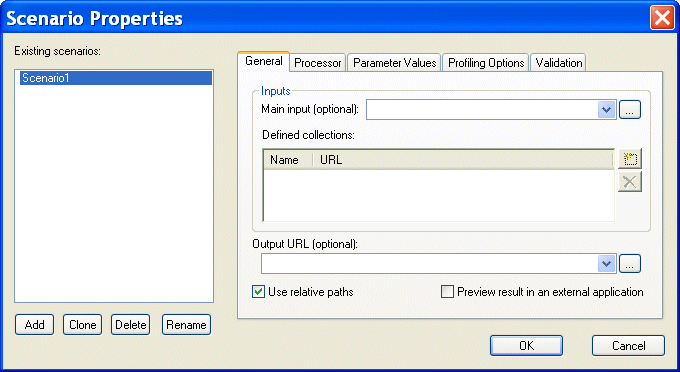
You specify XML input on the General tab of the Scenario Properties dialog box.

Figure 332. XQuery Scenario General Properties

Note


If you build your XQuery using the XQuery Mapper, Stylus Studio uses the first source document you select as the main input XML document, though you can override this default at any time. See Source Documents to learn more about the process of selecting and working with XQuery source documents in XQuery mapper.

Translating XML documents to X12

In-place, via XSLT and via XQuery are all mechanisms supported for converting XML to X12

Database-to-XML Mapping

Stylus Studio features several database-to-XML mapping tools that allow you to easily query a relational database using SQL/XML or SQL and render the results as XML. Stylus Studio also supports the world's first and only visual SQL/XML Editor!

Key Benefits of DataDirect XML Converters

Learn how DataDirect XML Converters were created to maximize XML developer productivity, push innovation, and provide unquestioned value.

Stylus Most Wanted

 
Free Stylus Studio XML Training:
W3C Member