Cart
Cart|
|
Home > Online Product Documentation > Table of Contents > Using Web Service Calls as XML Using Web Service Calls as XMLIn addition to opening a Web service call in the Web Service Call Composer for testing purposes, you can open a Web service call as an XML document anywhere in Stylus Studio - in the XML editor, or as a source document in the XQuery mapper for example. When you open a Web service call as an XML document, Stylus Studio automatically executes the SOAP request and displays the SOAP response.
Consider the following Web service call,
And here is the SOAP response returned by the Web service:
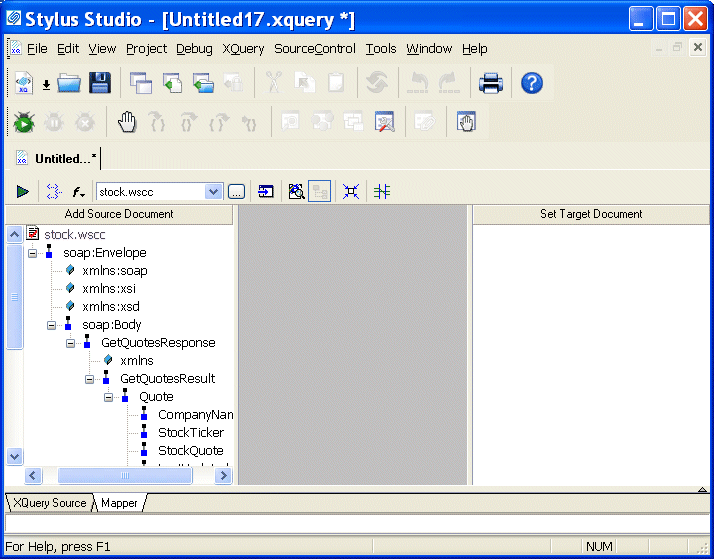
The saved Web service call can be used as the source document for an XQuery in the XQuery mapper, as shown in Figure 371:
XQueries composed using a Web service call as a source document return real-time data from the Web service as a result. |

XML PRODUCTIVITY THROUGH INNOVATION ™