|
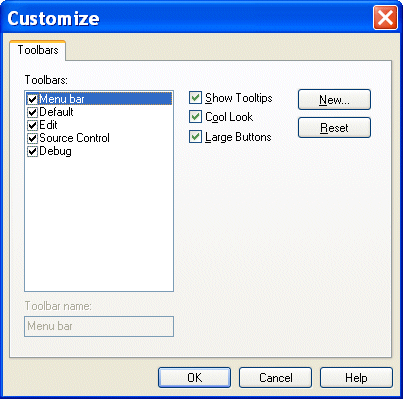
Home > Online Product Documentation > Table of Contents > Tool Bar Groups Tool Bar GroupsTool bars are organized by functional group within Stylus Studio (Default, Edit, Source Control, and so on). Customizations available for these groups include
You control all these customizations from the Toolbars tab of the Customize dialog box.
To display the Customize dialog box, select Tools > Customize from the menu. |

XML Unicode Encoding
Stylus Studio supports over 300 different file encodings, including UTF-8, UTF-16, EUC-JP, SHIFT-JIS, and more, alowing you to work with any XML document. Robust text editors support standard editing features, and Sense:X intelligent auto-completion.
DTD Validator
This page talks about Stylus Studio's DTD Validator it has the ability to specify any third-party XML parsers and validators, real-time syntax checking and DTD validation error reporting, backmapping, integrating third-party DTD validators and more!
Berkeley DB XML and Stylus Studio
Develop XML applications for Berkeley DBXML with Stylus Studio integrated tools support for SleepyCat Software's DBXML. Open, Query and Save XML to and from Berkeley DB XML directly from within the Stylus Studio XML IDE.
Translating XML documents to EDIFACT
In-place, via XSLT and via XQuery are all mechanisms supported for converting XML to EDIFACT