|
Home > Online Product Documentation > Table of Contents > Starting Stylus Studio Starting Stylus StudioThroughout this chapter, you perform exercises that require you to first start Stylus Studio. For example, if you installed Stylus Studio XML Enterprise Suite, you would Select Start > Programs > Stylus Studio XML Enterprise Suite > Stylus Studio.The path shown here assumes that you accepted the defaults when you installed Stylus Studio. If you did not, you must alter your selection path accordingly. You can also start Stylus Studio by double-clicking the desktop icon, which is added to your desktop by default when you install Stylus Studio:
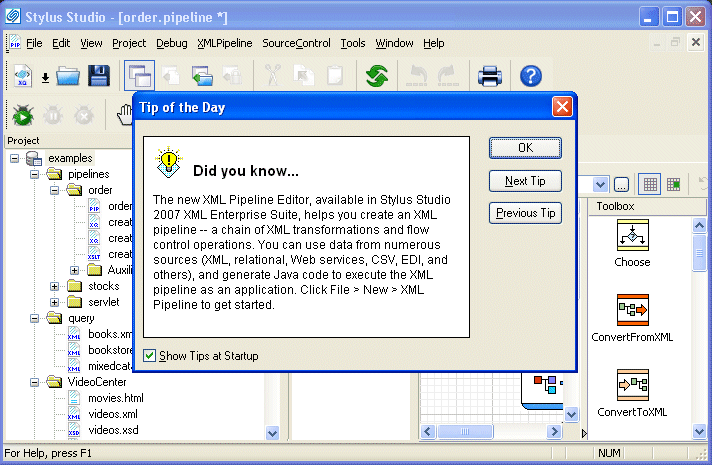
On startup, Stylus Studio displays the Tip of the Day dialog box.
|

XQuery API for Java (XQJ)
DataDirect XQuery is an embeddable software product based on the XQuery and XQJ standards that enables Java developers to access both relational and XML data sources using a single XQuery query. Runs on Oracle, SQL Server, DB2, and more!
XML Syntax Help - Intelligent XML Editing
Stylus Studio's XML Editors feature Intelligent XML Schema/DTD-Aware Code Sensing and context sensitive XML code auto-completion. Simplify XML editing with Stylus Studio today.
Building Web Services With Stylus Studio
This video demonstration shows you how to use Stylus Studio's Web Service call composer to locate a WSDL file on the Internet, inspect, create SOAP envelope, invoke and inspect Web service data.
Deltek Adds XML Support to Advanced ERP, Financial and HR applications with Stylus Studio
Learn how Deltek uses Stylus Studio to build ERP, financial, HR, and project management applications for the professional services industry and large government systems integrators.