|
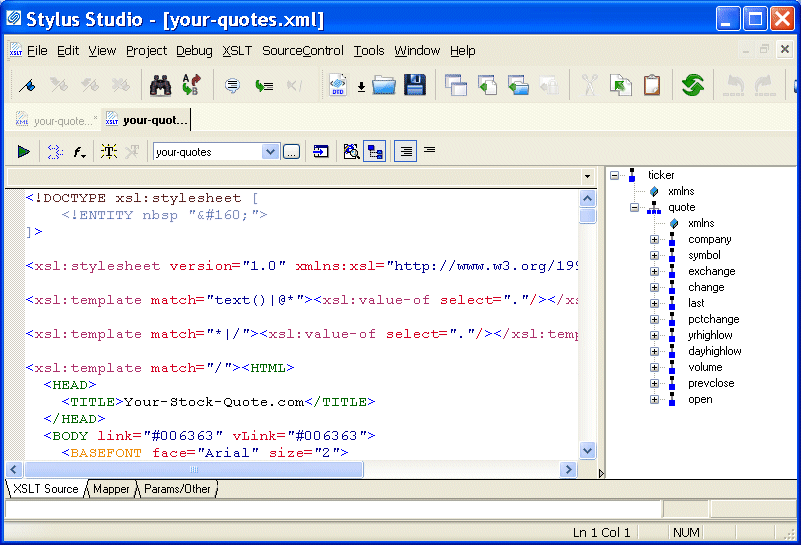
Home > Online Product Documentation > Table of Contents > Opening a Sample Stylesheet Opening a Sample StylesheetTo open the your-quotes.xsl sample XSLT stylesheet in Stylus Studio:
1. In the
File Explorer or
Open dialog box, navigate to the
examples\quotes directory in your Stylus Studio installation directory.
Alternative: If the Stylus Studio
2. Double-click
your-quotes.xsl. Stylus Studio displays the
your-quotes.xsl document in the
XSLT Source tab of the XSLT editor.
As with the XML Editor, Stylus Studio uses different colors to distinguish markup, tag names, and data in the XSLT Editor. |

XQuery Editor
Stylus Studio's XQuery development tools are a tremendous help in building and testing XML applications requiring a standards-based approach to querying, integrating and transforming data from various distributed data sources.
Using DataDirect XQuery with Stylus Studio
Learn how to query any relational database using XQuery and the XQuery API for Java using DataDirect XQuery, an embeddable Java component, and Stylus Studio the world's leading XML IDE.
Food & Beverage Services
"I'll have a burger and a side of Stylus Studio", says these top food & beverage services that use Stylus Studio in everyday operations. Come see which food & beverage services eat up the idea of having the most powerful XML IDE at their finger tips!
FLWOR - An Introduction to the XQuery FLWOR Expression
An XQuery FLWOR Tutorial, covering an introduction to the main constructs of the XQuery FLWOR expression, including: For, Let, Where, Order By, and Return. Written by the W3C's Dr. Michael Kay.