Using Lookup Lists

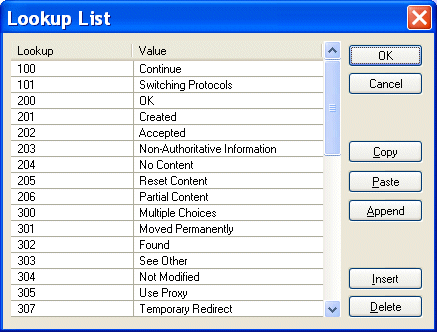
You can define lookup lists for individual fields. When Stylus Studio converts the input file, it replaces the string in the input file (the lookup) with the value you have defined for it in the Lookup List dialog box. Figure 181 shows an example of a lookup list that has been defined for a Status field:

Figure 181. Sample Lookup List

For any Status fields in the input document with a value of, say, 100, Stylus Studio would convert that value to Continue in the XML document it outputs; values of 202 would be converted to Accepted; and so on.

Input file values that do not match a lookup are emitted in the XML document as-is, allowing exceptional values to be decoded. For example, you might have a temperature lookup list with these values for a <Temperature> field:

32 | Freeze

212 | Boil

All other temperatures would be emitted as-is.

Defining Lookup Lists

Lookups are case-sensitive, so, for example, a lookup of bmw would not match any of the Make fields in the following sample file:

Make,Model,Year,Mileage
               
BMW,R1150RS,2004,14274  
               
Kawasaki,GPz1100,1996,60234  
               
Ducati,ST2,1997,24000  
               
Moto Guzzi,LeMans,2001,12393  
               
BMW,R1150R,2002,17439  
               
Ducati,Monster,2000,15682  
               
Aprilia,Futura,2001,17320 


You can define lookup lists only for fields in rows for which a match pattern (even a blank match pattern, as is the default) exists. Finally, you can paste comma- and tab-delimited text directly into the lookup list. This allows you to easily reuse existing lookup tables without having to re-enter text.

To define a lookup list:
1. Select a row for which a match pattern exists.
2. Click the Lookup List entry field in the Properties window.

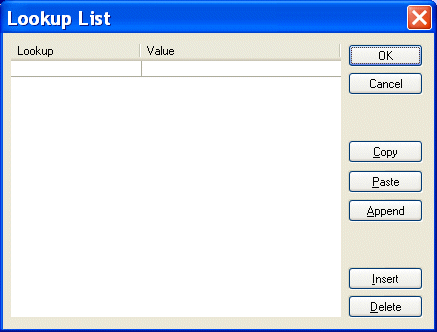
The Lookup List dialog box appears.

Figure 182. Lookup List Dialog Box

3. Enter lookup/value pairs in the corresponding entry fields.
4. When you are done, click OK.

Working with Lookup Lists

The following table summarizes the functions of the Lookup List dialog box, which allow you to work with new and existing lookup lists.

Button
Function
OK
Commits the lookup list to the custom XML conversion.
Cancel
Closes the Lookup List dialog box without committing any changes.
Copy
Copies the lookup list.
Paste
Pastes comma- and tab-separated text into the lookup list. Replaces existing content, regardless of which row you have selected
Append
Adds comma- and tab-separated text to the end of the lookup list. Existing lookup list content is preserved.
Insert
Adds a new row to the lookup list.
Delete
Removes the selected row from the lookup list.
Table 22. Lookup List Dialog Box Buttons

Note


Copy, Paste, and Append use the system clipboard and insert at the current cursor location. Any blank rows are discarded when you save the lookup list.

Generate XSD

Stylus Studio® can generate an industry standard W3C XSD (or DTD) by correctly inferring an XML data model from an XML instance document.

XML Well-Formedness Checker & XML Indenter

Tidy up your XML documents with powerful integrated XML editing utilities including a single-click XML formatter, pretty printer, XML indenter and XML well formedness checker.

Data Integration Tools: Using the Stylus Studio XML Pipeline to Visually Integrate and Publish Data

Data Integration Tools from Stylus Studio include a visual pipeline editor, support for non-XML data sources, scalable data integration components, cross-language debugging and Java code generation. Try it now.

Stylus Studio Enables Multi-Channel Publishing for University of Pittsburg Professor

Learn how Dr. David Birnbaum of the University of Pittsburgh uses Stylus Studio to develop customized XSLT stylesheets that produce enhanced versions of source documents in different output formats, including Web and print.

Stylus Most Wanted

 
Free Stylus Studio XML Training:
W3C Member