Cart
Cart
|
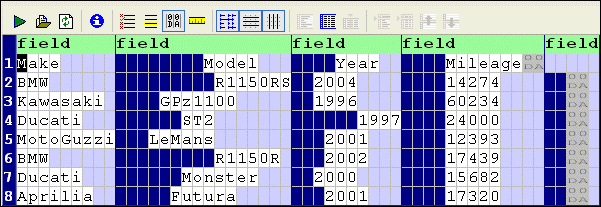
Home > Online Product Documentation > Table of Contents > Adjusting Fixed-Width Regions Adjusting Fixed-Width RegionsIf you specify the layout of the file you are converting as fixed-width, Stylus Studio uses a default row length of 80 characters. (If you let Stylus Studio determine the file layout, Stylus Studio will attempt to determine record length based on the line terminating character, if any.) You might need to adjust the row length of a region if your input file uses a different row length, or when converting a line-oriented region, like the one shown in Figure 167, to fixed-width.
There are several ways to specify the row length for a fixed-width region:
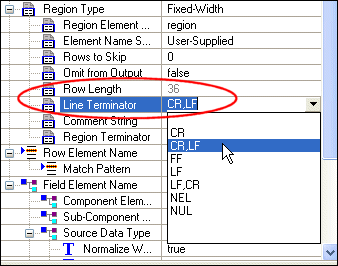
Each of these methods lets you explicitly set the row length. Alternatively, you can specify a Line Terminator character manually, as shown in Figure 168.
Specifying a Line Terminator character means that the rows in the region can be of variable length, based on the where the specified Line Terminator character occurs in the record.
ExampleAfter converting the line-oriented region shown in Figure 167 to fixed-width, it looks like this:
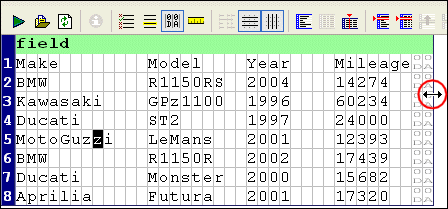
Figure 167 shows the same fixed-width file after it has been resized by dragging the document pane.
|

XML PRODUCTIVITY THROUGH INNOVATION ™