|
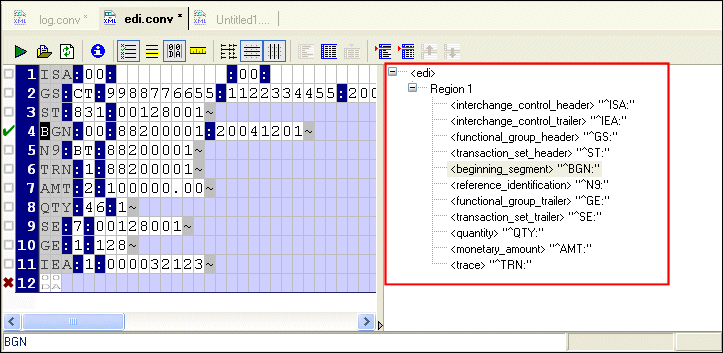
Home > Online Product Documentation > Table of Contents > Schema Pane Schema PaneThe schema pane displays a representation of the XML Schema for the XML document that will be output when the input file is converted to XML.
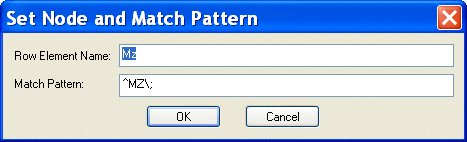
You can double-click on a row element to display the Set Node and Match Pattern dialog box, shown in Figure 162. This functionality provides an alternative to editing the row name and specifying a match pattern in the Properties window. (To learn more about patterns and how to use them in your custom XML conversion definitions, see Pattern Matching.)
You can also edit schema node names directly in the schema pane - just click twice to place the node name in edit mode. See Rows to learn more about specifying conversion properties for rows. |

Forest & Paper Products
Many forest & paper product companies realize the best XML suite doesn't have "pay per" features. That's why these top forest & paper product companies choose Stylus Studio 2006 to get the world's best XML features all in one bundle!
DOM - The Document Object Model
The Document Object Model (DOM) is a cross-platform interface for parsing and manipulating XML. Learn how Stylus Studio supports DOM in our XML Pipeline and other XML parsing tools.
XML Editing Views
Stylus Studio includes three synchronized XML editing views: Text View, Tree View, and Grid View, allowing you to work with and edit XML documents in whatever way suits you best.
Java Web Services
Stylus Studio's Web Service Call Composer simplifies Java Web Service development by making it easy to find, invoke, and test any Java Web Service deployed on any popular Java Web Service framework, such as Apache AXIS.