Cart
Cart
|
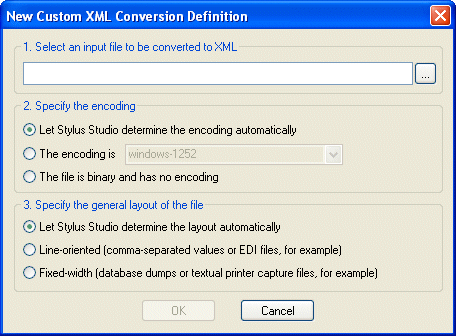
Home > Online Product Documentation > Table of Contents > Choosing an Input File Choosing an Input FileStylus Studio's XML Converters module makes it easy to define custom XML conversions based on many non-XML file types, including text, binary, and EDI. You can let Stylus Studio use a set of rules to determine the type, encoding, and layout of the input file, or you can specify these settings manually, as shown in Figure 149.
The input file can be any type. If you plan to use the custom XML conversion definition to convert other non-XML files of this type, the input file should be representative of that broader class of files - files with the same extension (
Stylus Studio's heuristics are also used to determine the field separator character being used (if any), the delimiting character being used (if any), and so on. The assumptions Stylus Studio makes are reflected in the Properties window in the Custom XML Conversions Editor once the input file is opened. |

XML PRODUCTIVITY THROUGH INNOVATION ™