|
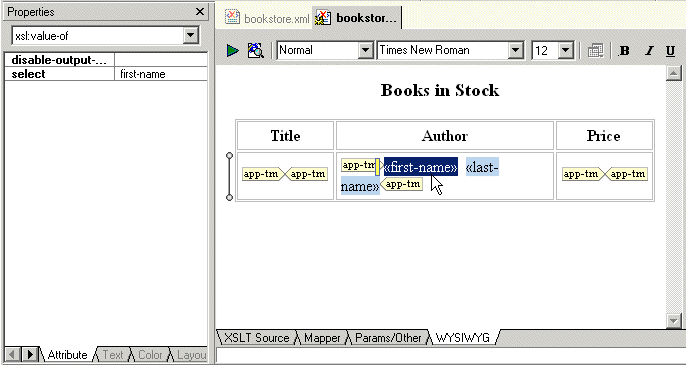
Home > Online Product Documentation > Table of Contents > Specifying Properties and Attributes in the HTML Editor Specifying Properties and Attributes in the HTML EditorThe Properties window displays the properties for the location you click in the HTML canvas. The immediately visible properties are for the element that directly contains the location you clicked.
In the Properties window, click the down arrow to display a list of the elements that enclose the element that directly contains the location you clicked. The elements are listed from innermost to outermost. Click an element to display its properties. |

Developer Resource Center: Learn XML and Stylus Studio
Learning XML is easy with Stylus Studio. Check out our free XML tutorials, XML whitepapers, online video demonstrations, XML examples and XML references and more.
Investments and Financial Companies That Use Stylus Studio
Stylus Studio provides XML tools & components to leading investment and financial companies! See which top investment and financial companies are banking on Stylus Studio 2006 to simplify their dollars and cents.
Consumer Food Products
Want to know what special ingredient is in these consumer food product companies work enviornment? Well it's a touch Stylus Studio that give these consumer food product companies the extra edge they need for producing such high quality food products!
Stylus Studio API Documentation
Java API reference materials providing detailed information about Stylus Studio and other industry leading XML processing components.