Setting Values for External Variables

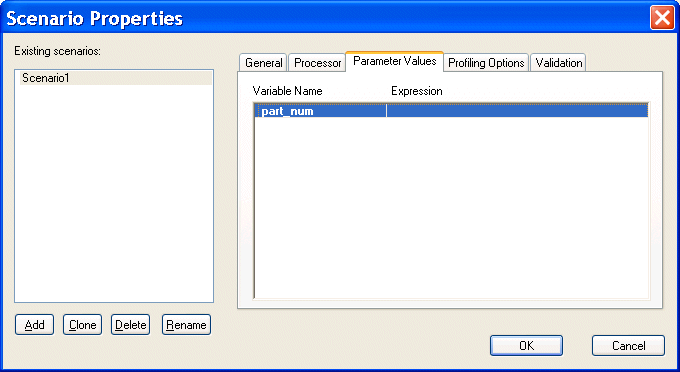
The Parameter Values tab of the Scenario Properties dialog box displays any external variables you have defined in the XQuery source. You can specify the parameter value you want to use for any external variables when you run the scenario. For example, imagine your XQuery code contains the following:

declare variable $part_num external


This variable is displayed on the Parameters tab as follows:

Figure 338. XQuery Scenario Parameters

When you run the scenario, you can specify the parameter value you want to use by double-clicking the Expression field and typing a value. Valid values are XPath expressions and must be entered using single or double quotes.

Oil, Gas & Electric Companies That Use Stylus Studio

Oil, gas & electric companies know a good resource when they see it. That's why they use Stylus Studio as their #1 XML resource. Come see which of these top oil, gas & electric companies are conserving their time and labor with Stylus Studio.

XML Code Folding

Stylus Studio's XML Editor features XML code folding, a powerful and intuitive way to maximize limited screen real-estate and help make sense of large XML files.

FLWOR - An Introduction to the XQuery FLWOR Expression

An XQuery FLWOR Tutorial, covering an introduction to the main constructs of the XQuery FLWOR expression, including: For, Let, Where, Order By, and Return. Written by the W3C's Dr. Michael Kay.

XML Schema Mapping

Stylus Studio includes a visual XML Schema-to-XML Schema mapping tool that allows you to easily implement sophisticated XML data mappings involving multiple data sources and customized data processing using either XSLT or XQuery code.

Stylus Most Wanted

 
Free Stylus Studio XML Training:
W3C Member