Home >
Online Product Documentation >
Table of Contents >
Specifying XML Input
Specifying XML Input
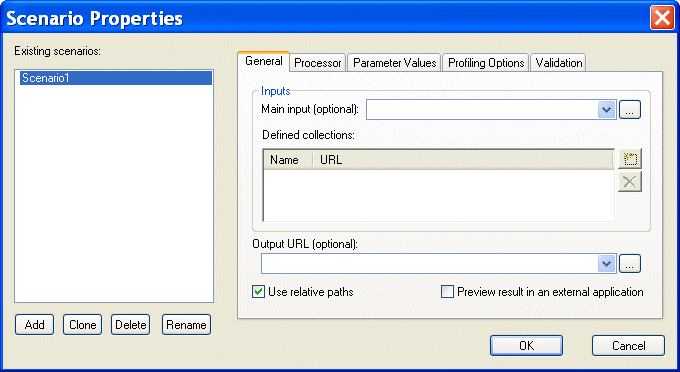
When you create an XQuery scenario, you can optionally specify inputs - XML documents or other sources of XML that set the context for the XPath expressions in your XQuery code. You can specify
- A
main input. The main input is a URL for a specific XML document. Specifying a main input is an alternative to using the XQuery
document() function in your XQuery code. When you specify a main input document, expressions like
\books\book in your XQuery code are evaluated in the context of that document.
- One or more
collections. In Stylus Studio, a collection represents a single table or view in a relational database. To learn how to create collections and use them in your XQuery code, see
Working with Collections.
You specify XML input on the
General tab of the
Scenario Properties dialog box.
|
|
Figure 332. XQuery Scenario General Properties
|
Note
|
|
If you build your XQuery using the XQuery Mapper, Stylus Studio uses the first source document you select as the main input XML document, though you can override this default at any time. See
Source Documents to learn more about the process of selecting and working with XQuery source documents in XQuery mapper.
|
 Cart
Cart