Cart
Cart|
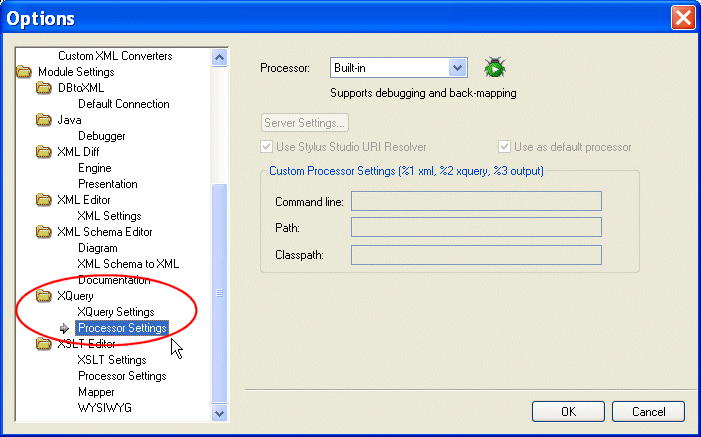
Home > Online Product Documentation > Table of Contents > Setting Default Options for Processors Setting Default Options for ProcessorsYou can set default values for all XQuery processors on the Processor Settings page of the Options dialog box. In addition, you can select a processor other than the built-in processor as the default XQuery processor. You can always override the default processor and default processor settings at the scenario level. To set defaults for XQuery processors:
1. From the Stylus Studio menu, select
Tools
>
Options.
Stylus Studio displays the Options dialog box.
2. Select
Module Settings >
XQuery > Processor Settings.
3. Select the processor for which you want to specify default settings from the
Processor drop-down list.
4. If required, complete processor-specific settings. (Click the
Settings button.)
5. If you want to use this processor as the default processor for all XQuery scenarios, click the
Use as default processor check box.
6. Click
OK.
|

XML PRODUCTIVITY THROUGH INNOVATION ™