|
|
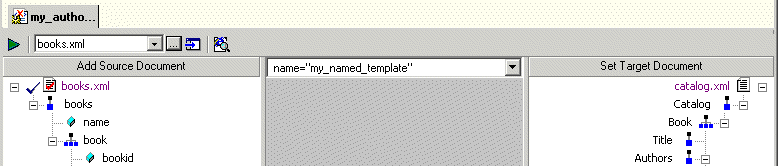
Home > Online Product Documentation > Table of Contents > What Happens When You Create a Template What Happens When You Create a TemplateWhen you create a template, Stylus Studio switches the XSLT mapper to the new template. The attributes identifying the template you are currently viewing are displayed in the template drop-down list at the top of the mapper canvas.
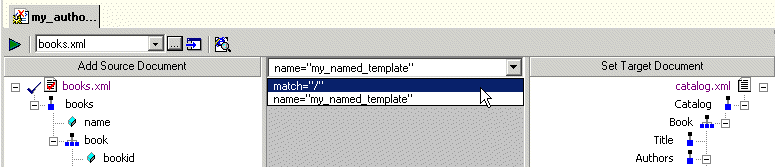
You can change the template view at any time, by selecting the template from the drop-down list, as shown in Figure 206.
|

An Introduction to XQuery Development
An Introduction to XQuery demonstrates how easy it is to use Stylus Studio's many tools for editing, testing and deploying XQuery applications. Learn how to write your first XQuery application in just minutes by watching this online tutorial.
DTD Editor
The Stylus Studio DTD Editor lets you visually develop Document Type Definitions (DTD) to structure XML documents. The DTD Editor also includes tools and utilites for validating XML against DTD's, converting DTD's, and generating DTD's.
EDIFACT Reference
The EDIFACT Reference is a free developer resource providing the most in-depth information on EDIFACT constructs and data models.
Banks That Bank on Stylus Studio for Enhanced XML Productivity
Guess what! You can pass go and collect 200 dollars because with Stylus Studio 2006 you can save your banking company time and labor in every day work activities. Come see which banking companies are already taking advantage of Stylus Studio today!