Cart
Cart
|
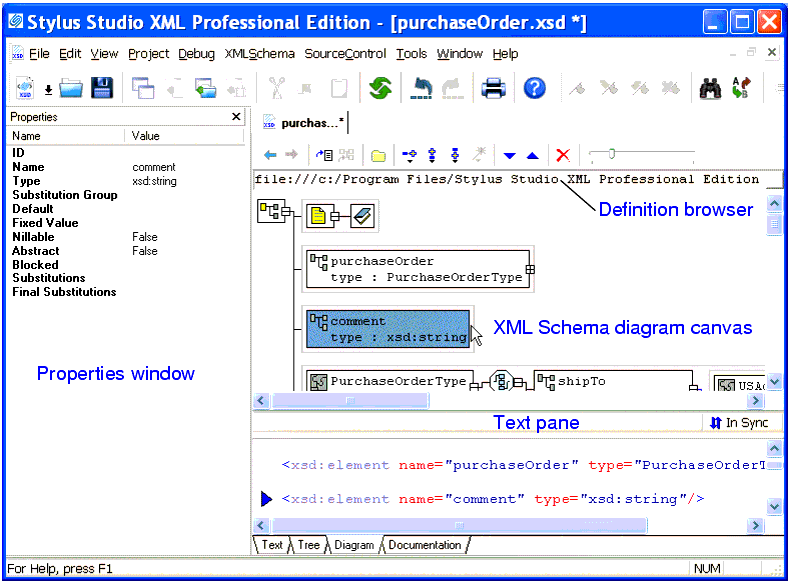
Home > Online Product Documentation > Table of Contents > Using the Diagram Tab Using the Diagram TabThe recommended way to define an XML Schema in Stylus Studio is to start with the Diagram tab of the XML Schema Editor, which is shown in Figure 68.
When you use the Diagram tab to define an XML Schema, you create XML Schema elements directly on the XML Schema diagram canvas using tools on the tool bar or from the XML Schema > Diagram and shortcut menus. As you define XML Schema elements on the XML Schema diagram canvas, the text pane, which is displayed at the bottom of the Diagram tab, displays the XML Schema syntax Stylus Studio creates for you. You edit node values in the Properties window. Stylus Studio ensures that the XML Schema you create is valid. For example, any nodes you define are created in the required order in the XML document that contains the XML Schema definition, regardless of the order in which you create them. |

XML PRODUCTIVITY THROUGH INNOVATION ™